What's new
Ram Heavy Duty Forum

Register a free account today to become a member! Once signed in, you'll be able to participate on this site by adding your own topics and posts, as well as connect with other members through your own private inbox!

AlfaOBD

Feeling like kind of a dummy right now....

I installed the Kaodtech bypass cable, hooked up my OBDLink MX+, and connected via my laptop to change the tire size. I used the guide in the google docs posted on this forum which has you select the MY2013-2017 BCM and I think I also used the 2013-2018 ABS option. Looking back I see a MY2020 option for the BCM and a MY2019+ ABS option...

Did I screw anything up by using the older year model options? If so, can I just redo the procedure with the newer options?

Did you use the advanced mode to actually force the earlier BCM? If not, AlfaOBD automagically connects using what it senses from the truck, so if you completed the steps, you are very likely already done. You should be able to navigate back to the tire size setting and see what it is currently set to though to know for sure.
 
Did you use the advanced mode to actually force the earlier BCM? If not, AlfaOBD automagically connects using what it senses from the truck, so if you completed the steps, you are very likely already done. You should be able to navigate back to the tire size setting and see what it is currently set to though to know for sure.

I used the regular mode so from what you said I'm hoping I'm okay. The only thing that makes me a little nervous is that while I was doing it I did get some notifications on the dash saying stuff about collision detection disabled and some other stuff that I wasn't quick enough to catch. Hoping that wasn't because they were newer features that got disabled by using the older BCM?
 
I used the regular mode so from what you said I'm hoping I'm okay. The only thing that makes me a little nervous is that while I was doing it I did get some notifications on the dash saying stuff about collision detection disabled and some other stuff that I wasn't quick enough to catch. Hoping that wasn't because they were newer features that got disabled by using the older BCM?

It may throw codes and temporarily disable some features if you don't hold your tongue the right way, but only until you clear codes and run through that ABS init steps, clear rolling, etc.
 
Skooter, did you lose your surround view while you were waiting for the front camera to work properly ?

No. All camera views worked as normal. I was thinking enabling the front camera didn’t work and then it just showed up after a day or so. Drove into town the other day, about 20 miles, thought I’d check it and there it was.


Sent from my iPhone 11 using Tapatalk
 
I changed my setting this evening (off road camera and gridlines), no grid lines and I lost my surround view, I'll give it a few days and see if everything starts working.
 
what does trail cam give you other than the tire tracking markers? On my gladiator it stays on for a long time where as the standard front facing camera on my ram turns off after like 8 seconds.
 
what does trail cam give you other than the tire tracking markers? On my gladiator it stays on for a long time where as the standard front facing camera on my ram turns off after like 8 seconds.
For the gladiator trail cam, it will only stay on indefinitely if you are going under 8mph in 2wd or 4hi, or if you are in 4hi, it will remain on at any speed until you turn it off. Other than that, the trail cam on the gladiator runs like any other FCA vehicle camera- in 2wd or 4hi, it will shut off in 10 seconds or over 8mph.
 
I changed my setting this evening (off road camera and gridlines), no grid lines and I lost my surround view, I'll give it a few days and see if everything starts working.
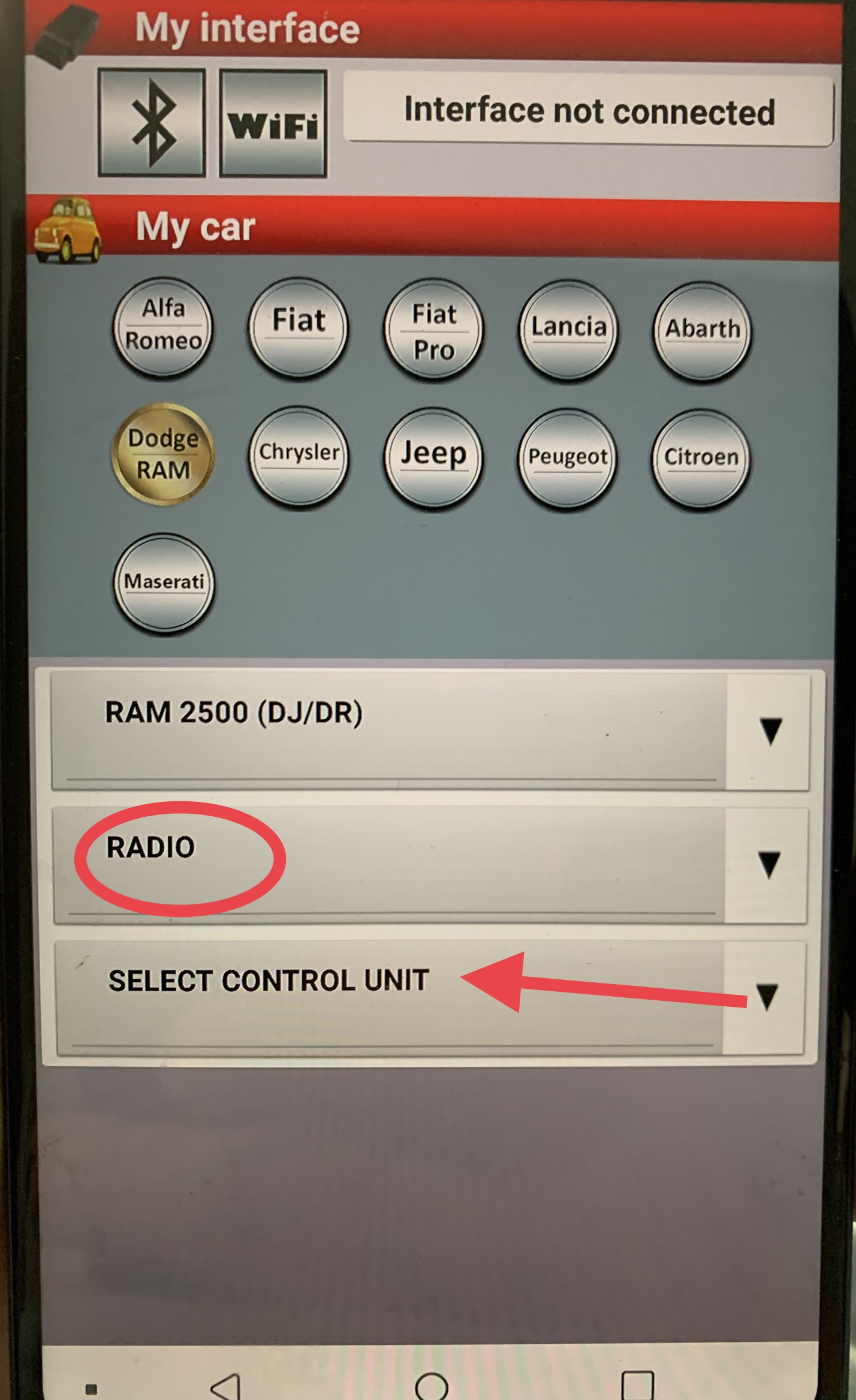
If you use AlfaOBD to connect to the CVPM (it’s in the list under radio module), are there any faults stored?
 
Jimmy,
I'm having trouble finding the Radio Module ?????
I can get to Radio under RAM 3500 but don't see that option ?

Thanks
It’s under radio instead of body computer-
xtCQBo8.jpg
NnOMoC3.jpg

Just click OK if it asks you about the MS CAN blue adapter.
 
Jimmy,

It's showing a B223B fault
should I try to clear it?
Vehicle configuration mismatch.
Set conditions: The module contains an unexpected or incorrect vehicle configuration values.
Default actions: Camera View(s) inoperative.
Possible causes: CVPM not configured correctly, faulty BCM, faulty CVPM. We know it’s not the last two.

When you clear it, does it come right back without starting the engine, only when you start the engine, or only after a camera view is attempted to be brought up?
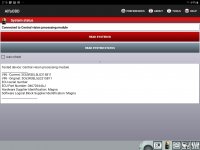
If you read the system ID of the CVPM, what is the ECU hardware number and ECU part number.
 
When I clear it the surround view shows up in the display for just a second then goes right back to black.
The fault code comes right back without starting the truck or touching anything on the display.
I'll get a screenshot of that info shortly..

THANKS!!!
 
Last edited:
Be nice to get this sorted out but I wonder if there's a difference in the CVPM on the trucks (mine included0 having trouble enabling this?

Can we get a working example ECU # for that module?
 
Back
Top