
You have to read the system ID first. Connect to BCM, click on battery icon in the lower right. Read system ID, and let the list fully populate for about a minute. Then the Body_chrysler_info log will be populated.Can anyone tell me why I can’t upload my bcm stats? Every time I try it does not bring anything up? I was able to go in and and change my fog lights on high beam and my current gear those changes worked great, I just can’t figure out how to get the rest of the bcm so if I do mess something up I can try to go back and fix it.
Ram Heavy Duty Forum
You are using an out of date browser. It may not display this or other websites correctly.
You should upgrade or use an alternative browser.
You should upgrade or use an alternative browser.
AlfaOBD
- Thread starter MEZZ2006
- Start date

TLITT6981
Member
- Messages
- 36
- Reaction score
- 50
- Points
- 18
Thanks jimmy07 I’ll try it again maybe I didn’t wait long enough for it to populate, I apologize for posting in this thread I’m not good at navigating these forums.You have to read the system ID first. Connect to BCM, click on battery icon in the lower right. Read system ID, and let the list fully populate for about a minute. Then the Body_chrysler_info log will be populated.

Can anyone tell me why I can’t download my bcm settings? I get the configuring connection to interface problem and it won’t download or show up but it shows that I’m connected on Alfa. When I go to upload to google drive or view faults and statuses nuthing comes up.
Can anyone tell me why I can’t upload my bcm stats? Every time I try it does not bring anything up? I was able to go in and and change my fog lights on high beam and my current gear those changes worked great, I just can’t figure out how to get the rest of the bcm so if I do mess something up I can try to go back and fix it.
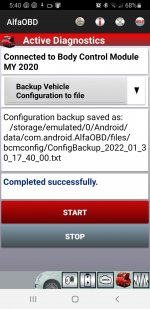
You can also backup your whole BCM file locally now:
I was able to add the Off-road pages to my 2020 3500 today after updating the radio the the latest 39.7 software available, thanks @Jimmy07 for the tips.
I haven't tested the pitch and roll yet, nor have I been able to check if it's helped resolve the non-working Hill Descent.
The Vehicle Dynamics page works including the steering angle.
The Gauges page works.
Pitch and Roll page is there, untested.
The Forward facing camera still doesn't work - still kills the Surround view. Button shows on settings but Gridlines still cannot be turned On.
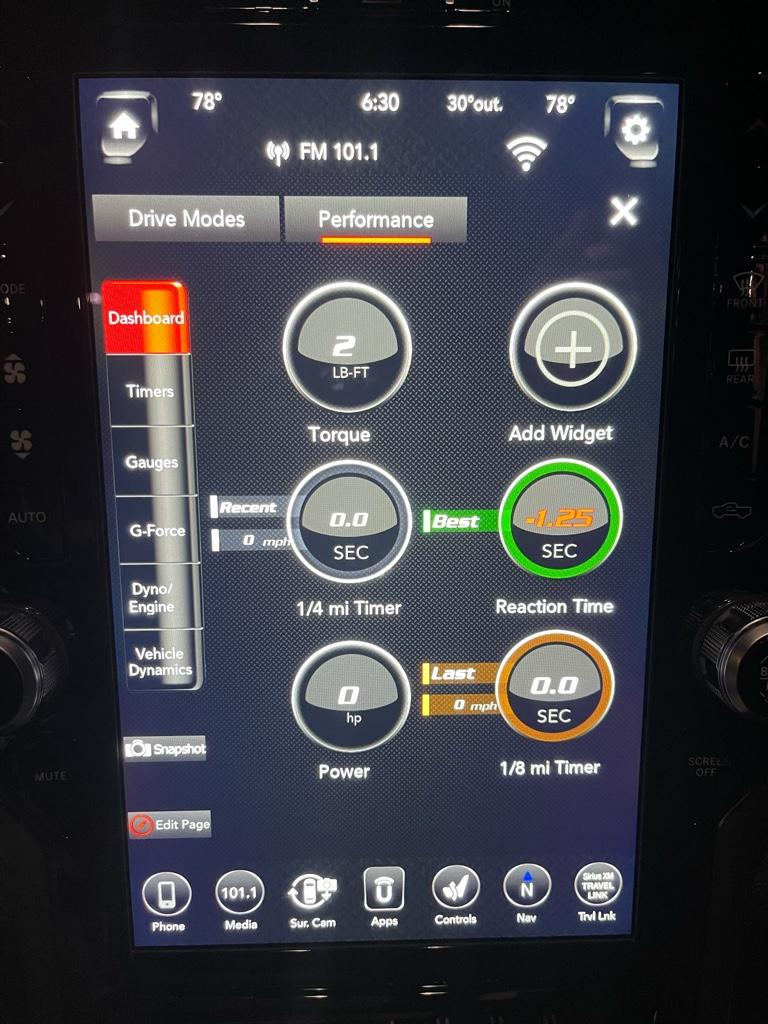
I enabled performance Pages but they didn't show up (yet?) Not sure if they're going to for my truck? @Jimmy07 ?
No change to Trailer Light Checkout (didn't really expect).


I haven't tested the pitch and roll yet, nor have I been able to check if it's helped resolve the non-working Hill Descent.
The Vehicle Dynamics page works including the steering angle.
The Gauges page works.
Pitch and Roll page is there, untested.
The Forward facing camera still doesn't work - still kills the Surround view. Button shows on settings but Gridlines still cannot be turned On.
I enabled performance Pages but they didn't show up (yet?) Not sure if they're going to for my truck? @Jimmy07 ?
No change to Trailer Light Checkout (didn't really expect).
Last edited:
The performance pages icon will eventually show up, but on the HD Rams, I think it will just say unavailable at this time when you try to open them.I was able to add the Off-road pages to my 2020 3500 today after updating the radio the the latest 39.7 software available, thanks @Jimmy07 for the tips.
I haven't tested the pitch and roll yet, nor have I been able to check if it's helped resolve the non-working Hill Descent.
The Vehicle Dynamics page works including the steering angle.
The Gauges page works.
Pitch and Roll page is there, untested.
The Forward facing camera still doesn't work - still kills the Surround view. Button shows on settings but Gridlines still cannot be turned On.
I enabled performance Pages but they didn't show up (yet?) Not sure if they're going to for my truck? @Jimmy07 ?
No change to Trailer Light Checkout (didn't really expect).
View attachment 31114
View attachment 31115
TLITT6981
Member
- Messages
- 36
- Reaction score
- 50
- Points
- 18
Thanks brutal does locally mean it will be saved to my Alfa somewhere ? I appoligize I’m not very tech savvy.
The backup file gets stored directly on the device you’re using. On Android device, it would be in the files folder. On windows, it’ll be in program files > AlfaOBD > logsThanks brutal does locally mean it will be saved to my Alfa somewhere ? I appoligize I’m not very tech savvy.
TLITT6981
Member
- Messages
- 36
- Reaction score
- 50
- Points
- 18
Thank you again I appreciate the info I will try again and see if I can save it.The backup file gets stored directly on the device you’re using. On Android device, it would be in the files folder. On windows, it’ll be in program files > AlfaOBD > logs
Keep in mind that there is a difference between the backup file and the BCM system ID log.Thank you again I appreciate the info I will try again and see if I can save it.
The backup file is just a bunch of numbers when you view it, and it is used as a quick restore point. IOW, when you restore the BCM from the backup file, any changes you made after the backup was created will be restored to what they were.
The BCM log is what lists all your current settings, and can be used to compare to other logs.

MooneyFWD
Active Member
- Messages
- 216
- Reaction score
- 163
- Points
- 43
How do we go about updating to the latest software? I did an 8.4 non-nav to 12.1 swap if that matters so FCA/Uconnect won’t show that an update is available. I’d like to get those Offroad Pages working.I was able to add the Off-road pages to my 2020 3500 today after updating the radio the the latest 39.7 software available, thanks @Jimmy07 for the tips.
I haven't tested the pitch and roll yet, nor have I been able to check if it's helped resolve the non-working Hill Descent.
The Vehicle Dynamics page works including the steering angle.
The Gauges page works.
Pitch and Roll page is there, untested.
The Forward facing camera still doesn't work - still kills the Surround view. Button shows on settings but Gridlines still cannot be turned On.
I enabled performance Pages but they didn't show up (yet?) Not sure if they're going to for my truck? @Jimmy07 ?
No change to Trailer Light Checkout (didn't really expect).
View attachment 31138
View attachment 31139
I was able to add the Off-road pages to my 2020 3500 today after updating the radio the the latest 39.7 software available, thanks @Jimmy07 for the tips.
I haven't tested the pitch and roll yet, nor have I been able to check if it's helped resolve the non-working Hill Descent.
The Vehicle Dynamics page works including the steering angle.
The Gauges page works.
Pitch and Roll page is there, untested.
The Forward facing camera still doesn't work - still kills the Surround view. Button shows on settings but Gridlines still cannot be turned On.
I enabled performance Pages but they didn't show up (yet?) Not sure if they're going to for my truck? @Jimmy07 ?
No change to Trailer Light Checkout (didn't really expect).
The performance pages icon will eventually show up, but on the HD Rams, I think it will just say unavailable at this time when you try to open them.
Spot on as always.
Perf app won't load.
No Pitch/roll. Still no hill descent or working forward camera (still kills 360°).
How do we go about updating to the latest software? I did an 8.4 non-nav to 12.1 swap if that matters so FCA/Uconnect won’t show that an update is available. I’d like to get those Offroad Pages working.
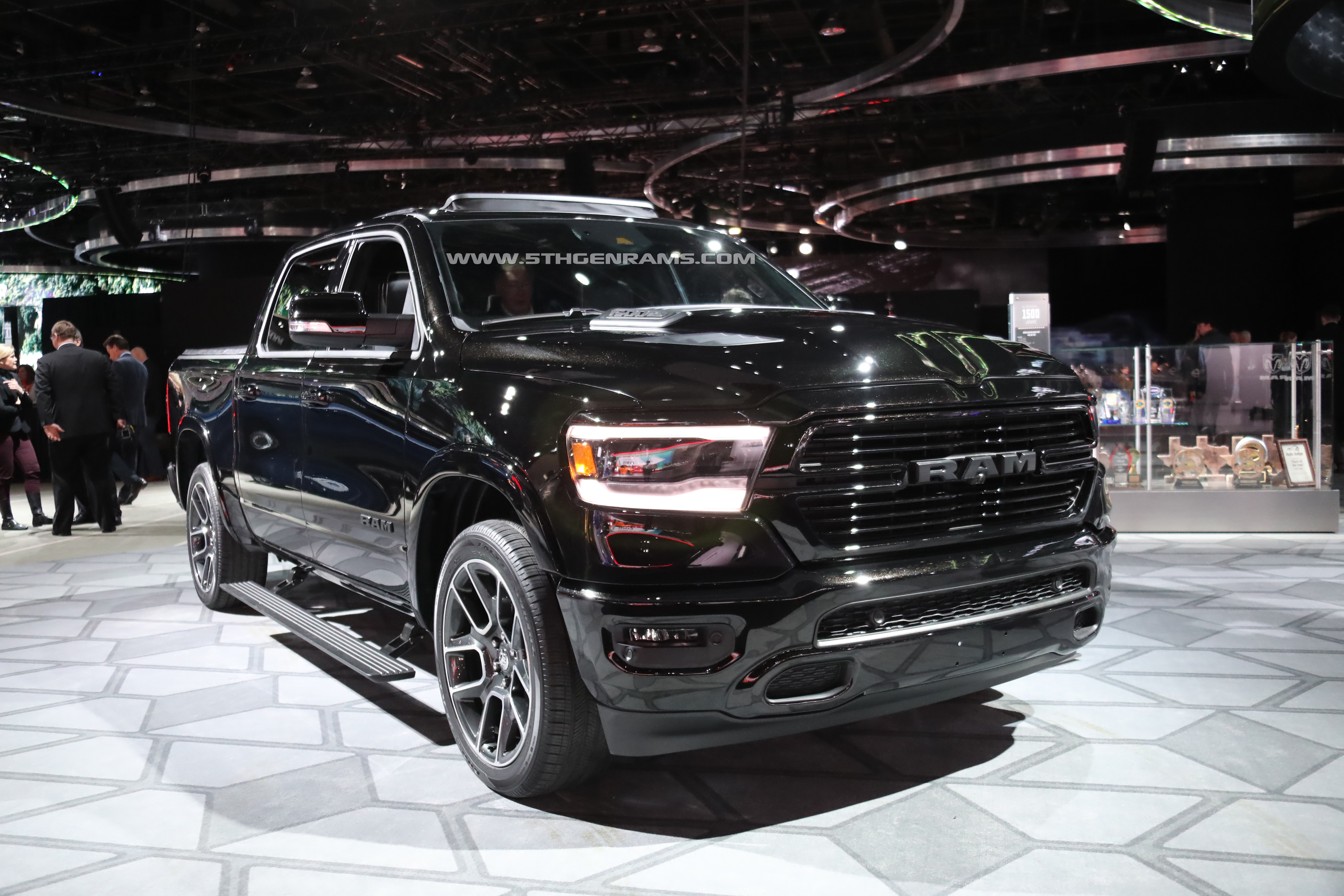
8.4" to 12.1" screen replacement
I got the same problem you had right now man I’m just about ready to quit and go back to my 8in screen! I want to try the alpha OBD but where do I get it?? I need to do the same process you did seems like that’s my only option left before quitting! Need your help bro Type "alfaobd" san quotes...
 5thgenrams.com
Ram Files - Google Drive
 drive.google.com

sstoner911
Well-Known Member
- Messages
- 1,586
- Reaction score
- 953
- Points
- 113
What will the performance pages do on a HD truck...isn't that more geared to Hellcats etc...Spot on as always.
Perf app won't load.
No Pitch/roll. Still no hill descent or working forward camera (still kills 360°).
What will the performance pages do on a HD truck...isn't that more geared to Hellcats etc...
I pretty much didn't expect it to work, just messing about.
Some of the 1500 trucks are getting them to work (partly). Sounds like it requires the right ECU/BCM.

Crusty old shellback
Well-Known Member
- Messages
- 3,802
- Reaction score
- 6,251
- Points
- 113
Pitch and roll and driving angle only work under 25 MPH.
Not sure if they are using separate gyros for them or taping into the existing ones used for other functions on the truck.
Not sure if they are using separate gyros for them or taping into the existing ones used for other functions on the truck.
sstoner911
Well-Known Member
- Messages
- 1,586
- Reaction score
- 953
- Points
- 113
Seems to work pretty well on some light camber dirt roads...but that's about all Iam willing to do with a long bed duallyPitch and roll and driving angle only work under 25 MPH.
Not sure if they are using separate gyros for them or taping into the existing ones used for other functions on the truck.

dragon_ram
Active Member
- Messages
- 223
- Reaction score
- 197
- Points
- 43
Is there a setting you can select/deselect to enable offroad pages above 25mph?Pitch and roll and driving angle only work under 25 MPH.
Not sure if they are using separate gyros for them or taping into the existing ones used for other functions on the truck.
sstoner911
Well-Known Member
- Messages
- 1,586
- Reaction score
- 953
- Points
- 113
No.Is there a setting you can select/deselect to enable offroad pages above 25mph?
sstoner911
Well-Known Member
- Messages
- 1,586
- Reaction score
- 953
- Points
- 113
I tried enabling these screens.. Couldn't get them to showI pretty much didn't expect it to work, just messing about.
Some of the 1500 trucks are getting them to work (partly). Sounds like it requires the right ECU/BCM.
I tried enabling these screens.. Couldn't get them to show
Takes a while for the button to show up in apps, I left mine overnight.
As indicated, it won't even load on mine, that's a pic from a 1500.