What's new
Ram Heavy Duty Forum

Register a free account today to become a member! Once signed in, you'll be able to participate on this site by adding your own topics and posts, as well as connect with other members through your own private inbox!

AlfaOBD

Thanks for the response. Bummer. The front camera would be my #1. Seems to make sense when parking. The mirrors are good enough for the side view.

Sent from my SM-N975U using Tapatalk
I put the surround camera button on the main screen "toolbar"

If you set the delay on in the camera settings, it will switch to the front after you use reverse.

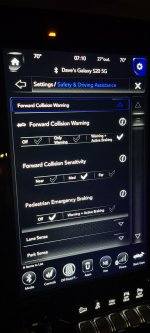
One member here has also enabled the front camera button/grildines ala PowerWagon using AlfaOBD, but two of us haven't had the same luck.
 
Using Windows version of alpha obd, do I just change VehConfig 4 Dynamic Tire Circumference all or rear and front? Right now the value is set to 65535. Which is odd as that’s huge.
Truck is a 2021 ram 2500. Moved to 35’s so it’s really about 884 mm.


Sent from my iPhone using Tapatalk
 
Using Windows version of alpha obd, do I just change VehConfig 4 Dynamic Tire Circumference all or rear and front? Right now the value is set to 65535. Which is odd as that’s huge.
Truck is a 2021 ram 2500. Moved to 35’s so it’s really about 884 mm.


Sent from my iPhone using Tapatalk
You won’t be changing the tire size there. When you select active diagnostics, instead of going into car configuration change, you select program tire size. Also note, it is looking for the circumference in mm, not the diameter. After that, you’ll connect to the abs module and run the initialization routine.
 
Using Windows version of alpha obd, do I just change VehConfig 4 Dynamic Tire Circumference all or rear and front? Right now the value is set to 65535. Which is odd as that’s huge.
Truck is a 2021 ram 2500. Moved to 35’s so it’s really about 884 mm.


Sent from my iPhone using Tapatalk
Keep in mind it needs to be the circumference in MM, so if your tire truly measured 35 inches tall, the circumference would be 2794mm.

But if it is currently set for 65535mm, then something ain't right, as that is like an 822 inch tall tire.
 
View attachment 11254

Maybe it just needs a couple more drive cycles?
I’m guessing the current BCM firmware doesn’t support it. If the soft key press is ineffective, it seems the BCM is ignoring the VehConfig 8 setting, and ignores what the radio is telling it to do. I suppose that probably means retrofitting trailer steering from a DT before the feature is released to the HDs is out of the question for now, too.
 
You won’t be changing the tire size there. When you select active diagnostics, instead of going into car configuration change, you select program tire size. Also note, it is looking for the circumference in mm, not the diameter. After that, you’ll connect to the abs module and run the initialization routine.

Something that’s cool, I’ve driven about 150 miles on the new tires. I checked the calibration yesterday and it’s dead on. Looks like it calibrated it self. I went from 33 to 35’s.


Sent from my iPad using Tapatalk
 
You won’t be changing the tire size there. When you select active diagnostics, instead of going into car configuration change, you select program tire size. Also note, it is looking for the circumference in mm, not the diameter. After that, you’ll connect to the abs module and run the initialization routine.

Which ABS control unit do you select for a 2021? I have some older instructions that say to select ABS ATE/CONTINENTAL but that is not an option. I assume it's the ABS Bosch/Continental/Teves/TRW MY2019+ PowerNet. Is that the right one?
 
I verified that was the correct ABS control unit listed one post above.

I couldn't get the errors cleared out and then saw that the tire size was out of limits. I went back and rechecked and realized that when I used an online calculator to figure out the circumference, I put my tire height into the radius field instead of diameter. It doesn't like it when you try to program in 70" tires. :oops:
 
Last edited:
The NAViKS box can do the turn signal mirror cams (optional setting) but it's shown to be really slow because it cycles through the cameras to get there.
I finally got mine installed and on a road trip this past weekend I had a change to try it out. After reading other posts I was surprised the turn signal cam cycled through the other camera views in a blink... maybe a bit more than 1 second. Also I never noticed my camera come on with the turn signals before the Naviks install.
 
Last edited:
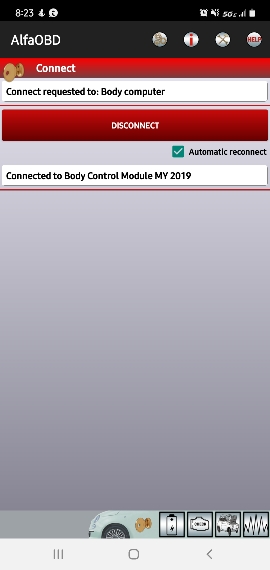
How do you get to the page to change bcm settings?

Using OBDlink and android app. Can view setting and perform diag. Just no options to change setting that I see.

Any help is appreciated.
61c0c2e86cea68b41da7d372f314cb89.jpg


Sent from my SM-N975U using Tapatalk
 
How do you get to the page to change bcm settings?

Using OBDlink and android app. Can view setting and perform diag. Just no options to change setting that I see.

Any help is appreciated.
61c0c2e86cea68b41da7d372f314cb89.jpg


Sent from my SM-N975U using Tapatalk
Select the icon at the bottom right that looks like a Fiat with the hood open.

You'll then have a dropdown with your options.
 
Select the icon at the bottom right that looks like a Fiat with the hood open.

You'll then have a dropdown with your options.
Yep I can get to the options but it appears to be just diagnostics. I cannot seems to change any settings.

Sent from my SM-N975U using Tapatalk
 
Yep I can get to the options but it appears to be just diagnostics. I cannot seems to change any settings.

Sent from my SM-N975U using Tapatalk
I'm not sure what it is you're trying to change, however, as an example to change the setting to keep the fog lights on with the highbeams....

Select Car configuration change from the top dropdown.
Then in the Options dropdown that appears, select CBC Features: Front Fot Lamp Dropout Enabled
Then in the Value dropdown that appears, select Yes
Then press the Start button

Different options have slightly different steps, but from everything I've modified to date, steps have always been very similar. Granted, I've only made changes to 5 vehicles, so definitely not an expert.
 
Select the battery icon first and read your system ID and upload the BCM file to Google Drive. You want to preserve your current settings before doing anything else.
 
I read the document showing how to adjust Tpms. However windows is different. Can someone tell me what I need to to adjust Tpms using windows alpha Obd. Thanks.


Sent from my iPad using Tapatalk
 
Back
Top