
That looks good. What light did you use to fill in the hole in the truck? Got a part number? My dealer is having issues finding a small light that will fit the topper.
Ram Heavy Duty Forum
You are using an out of date browser. It may not display this or other websites correctly.
You should upgrade or use an alternative browser.
You should upgrade or use an alternative browser.
Digital Rearview mirror with truck cap
- Thread starter AirbornePSG
- Start date
Arcticzale
New Member
- Messages
- 13
- Reaction score
- 12
- Points
- 3
I didn't use the assembly from the truck, I bought an OEM unit with the truck side wiring / connector for $175 from a compamy out of Detroit called Schrams. I believe they are a dismantler for Chrysler, had the part number for my truck so it would be plug and play. The assembly for my '21 limited CHMSL with rearview mirror camera is 68465996AA. I bought several different length Fakra cables off Amazon. When I did th install I ran 6 ft cables from the truck side and the factory chmsl to the driver side C pillar so in the event I remove my topper I can easily plug the factory camera back in. My intent was to install a switch but have not found one for the fakra that didn't require going back to coax. With multiple connections and adapters I was worried about overall resistance and resolution so I haven't pursued it further.That looks good. What light did you use to fill in the hole in the truck? Got a part number? My dealer is having issues finding a small light that will fit the topper.
Last edited:
Ah ok. I was told by the topper people I would need a different light as the stock one sticks out to far to allow install of the topper. That’s why I asked.I didn't use the assembly from the truck, I bought an OEM unit with the truck side wiring / connector for $175 from a compamy out of Detroit called Schrams. I believe they are a dismantler for Chrysler, had the part number for my truck so it would be plug and play. The assembly for my '21 limited CHMSL with rearview mirror camera is 68465996AA. I bought several different length Fakra cables off Amazon. When I did th install I ran 6 ft cables from the truck side and the factory chmsl to the driver side C pillar so in the event I remove my topper I can easily plug the factory camera back in. My intent was to install a switch but have not found one for the fakra that didn't require going back to coax. With multiple connections and adapters I was worried about overall resistance and resolution so I haven't pursued it further.
Thanks.
Arcticzale
New Member
- Messages
- 13
- Reaction score
- 12
- Points
- 3
Oh - I didn't have any clearance issues with my Century Royal topper. It was molded with enough clearance for the assembly.Ah ok. I was told by the topper people I would need a different light as the stock one sticks out to far to allow install of the topper. That’s why I asked.
Thanks.
Nice. Ok thanks for all the help. I will be giving this a try. Hopefully I can make it work. I really want that camera to keep working.Oh - I didn't have any clearance issues with my Century Royal topper. It was molded with enough clearance for the assembly.
JStrassell
New Member
- Messages
- 10
- Reaction score
- 2
- Points
- 3
Same with the ARE on my Laramie. Just had it installed last week and there was clearance there. I'll try and grab some photos. I just received the Camera Source relocation kit and in process of drawing up a couple things in CAD to 3D print and mount it.
JStrassell
New Member
- Messages
- 10
- Reaction score
- 2
- Points
- 3
I am making a shark fin mount for the top of the cap to mount the new camera like has been previously posted. The ARE cap already has a rear brake light at the top, so I didn't want to mess with resizing that area for a whole new Ram OEM unit. I'll post the file when I'm done. Just drawing up the camera now so that I can get it mounted into the shark fin.
JStrassell
New Member
- Messages
- 10
- Reaction score
- 2
- Points
- 3
Here’s a photo of the cap clearance on my Ram.

Is this the proper camera kit?Same with the ARE on my Laramie. Just had it installed last week and there was clearance there. I'll try and grab some photos. I just received the Camera Source relocation kit and in process of drawing up a couple things in CAD to 3D print and mount it.

Adjustable Relocation Kit- Camera Included, Fits 2019-2024 RAM® 2500,3500 W/360 View
Camera included!
Could you just mount it inside the topper on the roof if you had clearance to avoid the window swing?
scottishff
New Member
- Messages
- 2
- Reaction score
- 1
- Points
- 3
Thank everyone for sharing. I am needing help with a different part of this project... I followed the camera manufacturer's (Camera Source Relocation Kit) instructions for connecting the cable into the existing LVDS plug from the 3rd Brake light camera. They stated that once I pull the trip away from the rear driver corner, and pull the headliner down a little, I'd find a white connector that I could tap into for my truck topper camera. In my 2021 2500 Laramie MegaCab, I can't find that connector. Does anyone else know where I should look?
Any help is appreciated.
JK
Any help is appreciated.
JK
Arcticzale
New Member
- Messages
- 13
- Reaction score
- 12
- Points
- 3
Are they referring to the FAKRA connector? Might be wrong but my memory tells me that it went from mirror through middle of the headliner to the CHMSL assembly, not through the driver side. I pulled my CHMSL assembly to make the connections from there and fed my fakra cables through the headliner to the driver side C Pillar. Had to pull my topper back to get access.Thank everyone for sharing. I am needing help with a different part of this project... I followed the camera manufacturer's (Camera Source Relocation Kit) instructions for connecting the cable into the existing LVDS plug from the 3rd Brake light camera. They stated that once I pull the trip away from the rear driver corner, and pull the headliner down a little, I'd find a white connector that I could tap into for my truck topper camera. In my 2021 2500 Laramie MegaCab, I can't find that connector. Does anyone else know where I should look?
Any help is appreciated.
JK
Not sure what is involved in that kit, if you want to throw some pictures or links up I'll try to help.
Last edited:

RockaRhyme
Active Member
- Messages
- 155
- Reaction score
- 206
- Points
- 43
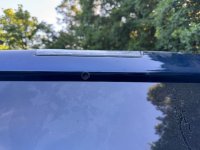
Here’s my solution. Purchased a 14mm ID carbon fiber tube for $20 from Amazon, cut it to match the length of the camera protrusion, and sanded the inside until the camera could slip through. The tubes are for hobbyists working with rc planes, it seems. Anyway, drilled a nice level hole using incrementally larger bits and finished it off with a round file until the tube fit nice and snug.
This is just a dry fitting. I figure I’ll use some epoxy to adhere the tube to the cap and maybe a little paint to blend it in. Finally, I’ll slide the camera in and anchor it with 3m or maybe straps. We’ll see, lots of options for that. I’ve got just enough wiggle room that should be able to make fine adjustments once everything is connected.
I tried connecting the camera to the bumper, but that didn’t work. Could be the 23+ cameras don’t work off the bumper or my camera/cable is just bad. Really don’t wanna have to pull the topper back to remove the CHMSL, but thems the breaks.
I took my CHMSL off and took some photos of the camera before I put the top on, so I’m sure I’ve got the right camera.
This is just a dry fitting. I figure I’ll use some epoxy to adhere the tube to the cap and maybe a little paint to blend it in. Finally, I’ll slide the camera in and anchor it with 3m or maybe straps. We’ll see, lots of options for that. I’ve got just enough wiggle room that should be able to make fine adjustments once everything is connected.
I tried connecting the camera to the bumper, but that didn’t work. Could be the 23+ cameras don’t work off the bumper or my camera/cable is just bad. Really don’t wanna have to pull the topper back to remove the CHMSL, but thems the breaks.
I took my CHMSL off and took some photos of the camera before I put the top on, so I’m sure I’ve got the right camera.
Attachments

Last edited:

CortexM0
Active Member
- Messages
- 188
- Reaction score
- 248
- Points
- 43
On the '23+, the CHMSL camera will not work on the trailer input. (The trailer input is expecting a different camera with an in-line repeater)I tried connecting the camera to the bumper, but that didn’t work. Could be the 23+ cameras don’t work off the bumper or my camera/cable is just bad. Really don’t wanna have to pull the topper back to remove the CHSML, but thems the breaks.
I took my CHSML off and took some photos of the camera before I put the top on, so I’m sure I’ve got the right camera.
If you really want to use the connector on the bumper (with a CHMSL camera), one option is to redirect this cable to the CHMSL video input. This can be done at the DRVM module under the driver's seat. You'll need to get a short fakra adapter (available on Amazon) to be able to connect the blue trailer cable to the red CHMSL connector.

Prior to finding the proper trailer camera, I ran this configuration for several thousand miles with a CHMSL camera mounted to the back of my trailer.
RockaRhyme
Active Member
- Messages
- 155
- Reaction score
- 206
- Points
- 43
That’s an interesting option. I was gonna try to run the cable directly to the mirror as itll be easier to get to that connection than the CHMSL. In either case, I’m not excited about routing a cable out of the cab… Not sure what options I have outside of the cab ventOn the '23+, the CHMSL camera will not work on the trailer input. (The trailer input is expecting a different camera with an in-line repeater)
If you really want to use the connector on the bumper (with a CHMSL camera), one option is to redirect this cable to the CHMSL video input. This can be done at the DRVM module under the driver's seat. You'll need to get a short fakra adapter (available on Amazon) to be able to connect the blue trailer cable to the red CHMSL connector.
View attachment 74206
Prior to finding the proper trailer camera, I ran this configuration for several thousand miles with a CHMSL camera mounted to the back of my trailer.
RockaRhyme
Active Member
- Messages
- 155
- Reaction score
- 206
- Points
- 43
So going through all the posts in the couple of related threads, I’m not seeing much on how folks have routed the cable out of the cab. Sounds like drilling a hole or going through the vent at the rear of the cab are the most popular routes. I took a look under the truck and didn’t see any obvious options… there are what appears to be drain plugs in the floorpans, but I’m not that that’s what those are.
Are there any other options you all are aware of? I’m trying to avoid trying to find a path through the firewall, but that’s where I’ll look next I guess
Are there any other options you all are aware of? I’m trying to avoid trying to find a path through the firewall, but that’s where I’ll look next I guess
What camera did you use? Do you have any pics of the the inside how the camera is positioned?Here’s my solution. Purchased a 14mm ID carbon fiber tube for $20 from Amazon, cut it to match the length of the camera protrusion, and sanded the inside until the camera could slip through. The tubes are for hobbyists working with rc planes, it seems. Anyway, drilled a nice level hole using incrementally larger bits and finished it off with a round file until the tube fit nice and snug.
This is just a dry fitting. I figure I’ll use some epoxy to adhere the tube to the cap and maybe a little paint to blend it in. Finally, I’ll slide the camera in and anchor it with 3m or maybe straps. We’ll see, lots of options for that. I’ve got just enough wiggle room that should be able to make fine adjustments once everything is connected.
I tried connecting the camera to the bumper, but that didn’t work. Could be the 23+ cameras don’t work off the bumper or my camera/cable is just bad. Really don’t wanna have to pull the topper back to remove the CHMSL, but thems the breaks.
I took my CHMSL off and took some photos of the camera before I put the top on, so I’m sure I’ve got the right camera.
Also do you happen to know if the bumper trailer connection will work on a 2022?
RockaRhyme
Active Member
- Messages
- 155
- Reaction score
- 206
- Points
- 43
will work for 22’s. Won’t work for ‘23+. Different cameras too.What camera did you use? Do you have any pics of the the inside how the camera is positioned?
Also do you happen to know if the bumper trailer connection will work on a 2022?
Yeah, those are sh*tty pictures. I’ll take some more this weekend. New cables are supposed be here tomorrow and I’m hoping to wrap the thing up
Awesome. This seems so far like the best option and the cleanest install.will work for 22’s. Won’t work for ‘23+. Different cameras too.
Yeah, those are sh*tty pictures. I’ll take some more this weekend. New cables are supposed be here tomorrow and I’m hoping to wrap the thing up
Thanks
CortexM0
Active Member
- Messages
- 188
- Reaction score
- 248
- Points
- 43
Running directly to the mirror will no longer work with the 23+. The video inputs are now located under the driver's seat.That’s an interesting option. I was gonna try to run the cable directly to the mirror as itll be easier to get to that connection than the CHMSL. In either case, I’m not excited about routing a cable out of the cab… Not sure what options I have outside of the cab vent