
Once downloaded, don’t open the file, just unzip it. Open the file. Ignore the MACOSX folder. Open the Uconnect _12_UAX_PR39.7 file. Move only the folder VP4R Update to the usb drive (formatted fat32), and ignore the .DS_Store item. Note- just move that entire folder itself over to the usb, do not open it up and move each item inside that folder.I'm at the same version as you and I can not get the 39.7 update to work either (2019 2500). Nothing ever pops up after inserting the drive. I have tried multiple drives, various ways to stage the files. Nothing seems to work (truck started, truck not start but in run, waiting up to 5 minutes... nothing).
Did you ever get it to work @MooneyFWD ?
I will also add that I have not gotten the over the air update that others seems to report, also if I check the uconnect website and enter my VIN, it says there are no updates available.
Ram Heavy Duty Forum
You are using an out of date browser. It may not display this or other websites correctly.
You should upgrade or use an alternative browser.
You should upgrade or use an alternative browser.
AlfaOBD
- Thread starter MEZZ2006
- Start date

IronByron
Well-Known Member
I'm at the same version as you and I can not get the 39.7 update to work either (2019 2500). Nothing ever pops up after inserting the drive. I have tried multiple drives, various ways to stage the files. Nothing seems to work (truck started, truck not start but in run, waiting up to 5 minutes... nothing).
Did you ever get it to work @MooneyFWD ?
Yeah, did that multiple times. Even tried different drives (and tried on Windows and Mac OS). (I know it probably doesn't mean anything but I have worked in tech all my life, former navy aviation electronics tech and 20+ years in IT. I have also done several manual USB updates over the years between my previous Jeep and Ram trucks. All I'm trying to say is that I'm pretty sure I'm doing everything as needed.)Once downloaded, don’t open the file, just unzip it. Open the file. Ignore the MACOSX folder. Open the Uconnect _12_UAX_PR39.7 file. Move only the folder VP4R Update to the usb drive (formatted fat32), and ignore the .DS_Store item. Note- just move that entire folder itself over to the usb, do not open it up and move each item inside that folder.
I think next I will try downloading the older version that I'm currently running and see if it recognizes that update (should say that the version I'm updating to matches the installed version at the prompt).
Last edited:
naplesbill
Active Member
- Messages
- 127
- Reaction score
- 136
- Points
- 43
Yeah, did that multiple times. Even tried different drives.
Did you try doing a factory reset and leaving the USB plugged in? A fresh boot of the system may allow it to initiate the update process.
Sent from my iPhone using Tapatalk
IronByron
Well-Known Member
Yeah, did that multiple times. Even tried different drives. (I know it probably doesn't mean anything but I have worked in tech all my life, former navy aviation electronics tech and 20+ years in IT. I have also done several manual USB updates over the years between my previous Jeep and Ram trucks. All I'm trying to say is that I'm pretty sure I'm doing everything as needed.)
No, but maybe I will as a last resort. Not ideal as I don't want to loose all my settings and also wait for all the features and cameras to show back up. Although I supposed I could use the "backup customer settings" option and backup to a USB.Did you try doing a factory reset and leaving the USB plugged in? A fresh boot of the system may allow it to initiate the update process.
Sent from my iPhone using Tapatalk

kpecks
Active Member
- Messages
- 153
- Reaction score
- 188
- Points
- 43
I must be doing something wrong because i cannot for the life of me figure out where ECUconfig menus are... i want to add the gear selector indicator and change the tire pressure settings. But i cant find the function selection..... Do i have to upgrade to the full AlfaOBD?
In the same list with the other settings changes. Connect to body computer > active diagnostics (little car with hood open) > car configuration change > they’ll be after VehConfig 8 in the list. You’re looking for ECUConfig 4I must be doing something wrong because i cannot for the life of me figure out where ECUconfig menus are... i want to add the gear selector indicator and change the tire pressure settings. But i cant find the function selection..... Do i have to upgrade to the full AlfaOBD?

MooneyFWD
Active Member
- Messages
- 216
- Reaction score
- 163
- Points
- 43
No, I haven't gotten it to work. Might try again later today.I'm at the same version as you and I can not get the 39.7 update to work either (2019 2500). Nothing ever pops up after inserting the drive. I have tried multiple drives, various ways to stage the files. Nothing seems to work (truck started, truck not start but in run, waiting up to 5 minutes... nothing).
Did you ever get it to work @MooneyFWD ?
I will also add that I have not gotten the over the air update that others seems to report, also if I check the uconnect website and enter my VIN, it says there are no updates available.
IronByron
Well-Known Member
I have tried several things (different drives, windows, Mac, all the suggestions and various truck running/run no engine, etc). Including trying to run the 34.2 update that I already have (It should run and show that I'm already running that version). For me it's like my unit sees the USB drive but won't run the update. It was suggested that I factory reset the radio, I have not done that as I'm not looking forward to loosing all my settings, etc.No, I haven't gotten it to work. Might try again later today.
I am curious if your unit does something similar to mine, when you go into diagnostic/dealer mode and then go to the section to "backup user settings" on the radio, does it recognize a USB drive for you there and allow you to back up to USB?

72K5er
New Member
- Messages
- 4
- Reaction score
- 1
- Points
- 3
Quick question. I've been reading this thread and am I correct that to adjust TPMS on a 2021 2500, I need AlphaOBD, OBDlink, and a KAOdTECH bypass module? Also, is it correct that the bypass mopdule is not needed to make most adjustments to the truck? Thanks

G Mcpherson
Well-Known Member
You will need the Cable
72K5er
New Member
- Messages
- 4
- Reaction score
- 1
- Points
- 3
Got it, thanks.You will need the Cable

Crusty old shellback
Well-Known Member
- Messages
- 3,758
- Reaction score
- 6,155
- Points
- 113
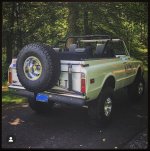
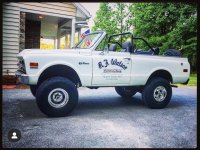
You still have the '72 K5? Had a '73 built for offroad with deaver springs and king shocks. 
72K5er
New Member
- Messages
- 4
- Reaction score
- 1
- Points
- 3
Yes. I'm debating throwing it on Ebay just to see what it would bring but the family is 100% against it. It's super solid, just not a show rig. Complete rebuild. Vortec 350, 4l60e, discs, 4" Offroad Design lift, Bilteins 4.56 gears, zero rust. It will rin 70-75 all day with the rears and overdrive. Only thing I'm not crazy about is the 67-68 front clip the previous owner put on it.You still have the '72 K5? Had a '73 built for offroad with deaver springs and king shocks.
Attachments
Crusty old shellback
Well-Known Member
- Messages
- 3,758
- Reaction score
- 6,155
- Points
- 113
Nice.
I built a roller 350 with holley sniper fuel injection. 450HP, 475 TQ.
12/18 inches of suspension travel. 3.73 posis and 35 MTs.
Was a blast in the sand dunes and down in Baja.
I built a roller 350 with holley sniper fuel injection. 450HP, 475 TQ.
12/18 inches of suspension travel. 3.73 posis and 35 MTs.
Was a blast in the sand dunes and down in Baja.

MacDuff
Member
- Messages
- 55
- Reaction score
- 80
- Points
- 18
Need a little or maybe a lot help... I performed the alphaobd update to my tire pressures and tire size. Everything seemingly went well.
2022 Ram 2500, after update the truck is lit up like a christmas tree. I must have every warning light in the vehicle on, except for the TPMS which seems to be the only thing now working correctly. Drove the truck about 5 miles, nothing changed. FWIW, I've done ECU updates on both my previous BMW and VW with no problems at all, so I'm stumped.
Ideas?? Could definitely use some guidance from the Ram wizards.
2022 Ram 2500, after update the truck is lit up like a christmas tree. I must have every warning light in the vehicle on, except for the TPMS which seems to be the only thing now working correctly. Drove the truck about 5 miles, nothing changed. FWIW, I've done ECU updates on both my previous BMW and VW with no problems at all, so I'm stumped.
Ideas?? Could definitely use some guidance from the Ram wizards.

Need a little or maybe a lot help... I performed the alphaobd update to my tire pressures and tire size. Everything seemingly went well.
2022 Ram 2500, after update the truck is lit up like a christmas tree. I must have every warning light in the vehicle on, except for the TPMS which seems to be the only thing now working correctly. Drove the truck about 5 miles, nothing changed. FWIW, I've done ECU updates on both my previous BMW and VW with no problems at all, so I'm stumped.
Ideas?? Could definitely use some guidance from the Ram wizards.
Did you follow the steps to Init ABS?
ABS: ABS Init; Static ECU Init, clear codes, key cycle, clear rolls, clear codes?
MacDuff
Member
- Messages
- 55
- Reaction score
- 80
- Points
- 18
Did you follow the steps to Init ABS?
ABS: ABS Init; Static ECU Init, clear codes, key cycle, clear rolls, clear codes?
Apologies for the cross thread and a huge thanks to Brutal for this information. As always, the devil is in the details and with this info, problem solved!
Thanks gents, the wealth of information on this forum is just outstanding.
72K5er
New Member
- Messages
- 4
- Reaction score
- 1
- Points
- 3
That's sick! Love the squares with the full convertible.Nice.
I built a roller 350 with holley sniper fuel injection. 450HP, 475 TQ.
12/18 inches of suspension travel. 3.73 posis and 35 MTs.
Was a blast in the sand dunes and down in Baja.
kpecks
Active Member
- Messages
- 153
- Reaction score
- 188
- Points
- 43
Did you follow the steps to Init ABS?
ABS: ABS Init; Static ECU Init, clear codes, key cycle, clear rolls, clear codes?
Super helpful video. Thanks. I just did 800 mile road trip and after reprogramming the tire size based on the manufacture provided inflated circumference measurement (i double checked the math), my speed is showing faster than the garmin GPS unit i had to test it. Not sure if that messes with the odometer also because i think it should more miles than what google maps did.... any suggestions? do i need to manually measure the tire circumference??
Super helpful video. Thanks. I just did 800 mile road trip and after reprogramming the tire size based on the manufacture provided inflated circumference measurement (i double checked the math), my speed is showing faster than the garmin GPS unit i had to test it. Not sure if that messes with the odometer also because i think it should more miles than what google maps did.... any suggestions? do i need to manually measure the tire circumference??
You need to measure the height (diameter) with your static load and do the calculation. Or wrap use a string, drive onto it, mark, etc.
Or do like most and keep changing it by guessing until it reads correct. ;-)
FYI, don't use a phone plugged into the truck radio/NAV as I think that dives a false GPS reading (still from the truck). Standalone GPS as it sounds like you have, or phone not connected.
You can also play with the numbers here and probably get close if you know your current setting and speed at a specific RPM and just work backwards.
Gearing Analyzer with Shift Tracer
Enter gear ratios, tire and diff ratio to analyze RPM vs velocity at shift points with tracer
 apx6u.app.goo.gl