What's new
Ram Heavy Duty Forum

Register a free account today to become a member! Once signed in, you'll be able to participate on this site by adding your own topics and posts, as well as connect with other members through your own private inbox!

Links to solved DIY Sales code mods and common AlfaOBD settings

How to adjust how far down the mirrors tilt in reverse:
- For “function”, select driver door (instead of body computer). Select control unit MY2019+, and connect (click continue when the box pops up talking about blue adapters).
- Select car with open hood icon in lower right (active diagnostic for windows version)
- Scroll down to Mirror Tilt Distance and select
- 40 is the default, so enter values lower than 40 to lessen the distance that the mirrors tilt down (I chose 20).
- Once procedure is complete, repeat the process for passenger door.

Finally did this today.

I want to add that the settings for tow mirrors up and mirrors down are independent.

I ended up with 15 drivers and 10 passenger side.
 
How to adjust how far down the mirrors tilt in reverse:
- For “function”, select driver door (instead of body computer). Select control unit MY2019+, and connect (click continue when the box pops up talking about blue adapters).
- Select car with open hood icon in lower right (active diagnostic for windows version)
- Scroll down to Mirror Tilt Distance and select
- 40 is the default, so enter values lower than 40 to lessen the distance that the mirrors tilt down (I chose 20).
- Once procedure is complete, repeat the process for passenger door.

I did this procedure today as well, I never found the tilt feature useful as it went to far down for me. I went with 30 for both sides, see how that works.

I did have to select Advanced mode to get the MY2019+ control unit.
 
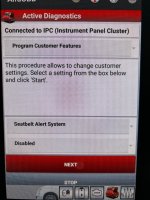
I can confirm the seatbelt alarm disable works with 2024 with full digital dash.
 

Attachments

  • IMG_7797.JPG
    IMG_7797.JPG
    1.3 MB · Views: 44
Steps to complete Tire Size Change - clear EVIC errors.

hybw0D2.jpg
I knew I'd seen your more step-by-step process you took the time to write out posted somewhere.. took me a few minutes to find it, but it feels like it could be included in this thread for posterity. Was a great write-up I used when I just reset my tire size without any issues:
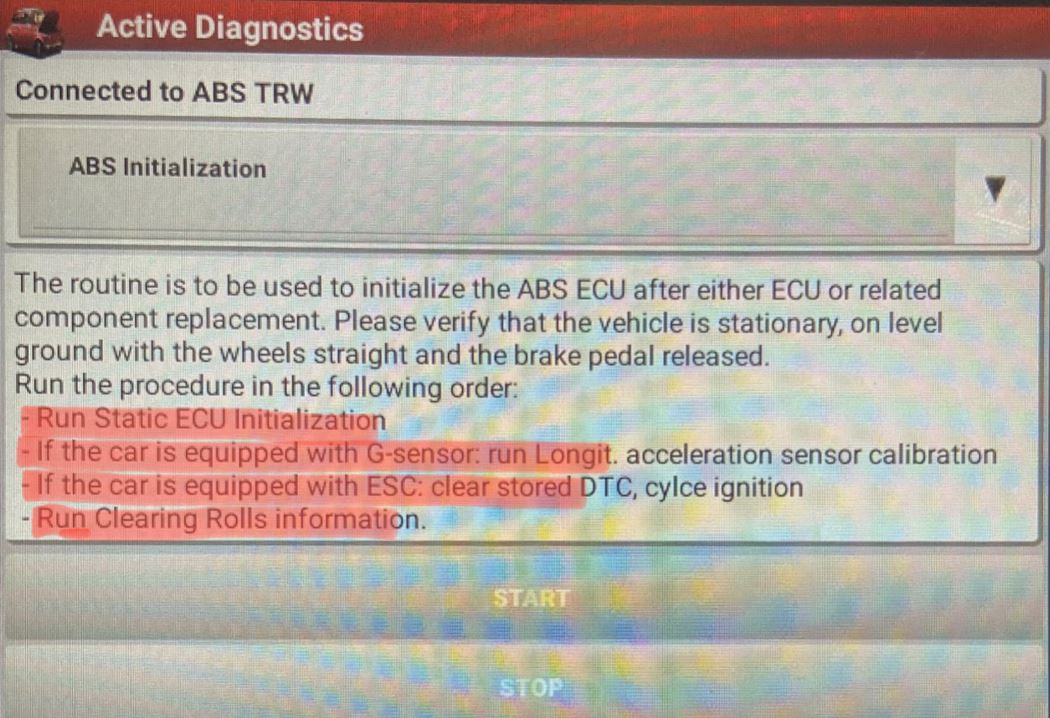
ABS Initialization shows a list of items (steps) you are to complete, that's all it is and has never been anything else.
  1. Your truck model
  2. ABS
  3. ABS Bosch/Continental/Teves/TRW PowerNet MY2019+ PowerNet (or MY2013-18 PowerNet)
  4. Click the "hood open" icon at the bottom
  5. Select "ABS Initialization" from the drop down (read the instructions)
  6. Press Start
  7. Back to the drop down and select "Static ECU Initialization"
  8. Press Start
  9. Click on the "check engine" icon at the bottom
  10. Select "Clear Faults"
  11. Cycle the key to off and then back to run
  12. Click back on the "hood open" icon
  13. Select "Clearing Rolls Information" from the drop down (should be at the bottom of the list)
  14. Cycle key again
  15. Although it doesn't say it, I would click on the "check engine" icon one more time and clear faults
  16. Turn key off and disconnect everything (OBDII connector, etc.)
  17. Start your truck up and take it for a spin

AlfaOBD isn't good at clearing all possible faults as you have to hit each module that may need clearing.
 
Back
Top