
MEZZ2006
Active Member
Sounds like I'll have to get the windows version.
Sent from my LM-G710VM using Tapatalk
Sent from my LM-G710VM using Tapatalk
It wouldn’t be the first time the Android version hasn’t come through on these 2019+ BCMs. That’s why I always recommend guys just get the windows version for the 2019+ trucks. There’s quite a few settings missing from the list when the Android version auto connects to the BCM, whereas you can force them with the windows version.

If you already have one version, he’ll give you the other for ~$25
Ok, so to make this work I changed “VehConfig 8: Off-Road Camera Present” and “Customer.Set.Menu 3: Forward Facing Camera Gridlines CSM Present” to “Yes”.
It took a few ignition cycles, but I got a setting for the gridlines under Settings/Camera and a button for “Forward Camera“ under apps.
View attachment 5938
Hmm, you both got 2020s. Wondering if @jsalbre may have AC ECU instead of AB...ECU Part Number: 68444250AB
Hardware number: 68444250AB
You sure there wasn't any other setting? Do you still have the surround top down view?
Would you be able to send me a dump of your BCM status?
Thanks.
Hmm, you both got 2020s. Wondering if @jsalbre may have AC ECU instead of AB...
Have you tried a negative cable disconnect?
Hmm, you both got 2020s. Wondering if @jsalbre may have AC ECU instead of AB...
Have you tried a negative cable disconnect?
Hmm, you both got 2020s. Wondering if @jsalbre may have AC ECU instead of AB...
Have you tried a negative cable disconnect?
So, you initially changed “VehConfig 8: Off-Road Camera Present” and “Customer.Set.Menu 3: Forward Facing Camera Gridlines CSM Present” to “Yes”, that didn’t work, then you changed those back. Ever since then, even with those two settings back to normal, surround view hasn’t worked properly? Or, is it only when those two settings were enabled?This is getting more than a little frustrating.
I did a battery disconnect today for 20+ minutes and hours after powering back up, it's still doing the same crap. I have the gridline and forward camera button options but no selection possible and the overhead surround view is black. Haven't driven it again today but I don't hold out much hope for it working yet.
The only other thing I can think to try is to enable the off-road option and then disable it again. I did try that once very early on and it broke surround view and the side steps.
So, you initially changed “VehConfig 8: Off-Road Camera Present” and “Customer.Set.Menu 3: Forward Facing Camera Gridlines CSM Present” to “Yes”, that didn’t work, then you changed those back. Ever since then, even with those two settings back to normal, surround view hasn’t worked properly? Or, is it only when those two settings were enabled?
Do you happen to have a log of your original BCM config before you made any changes (or, at least, before you initially made these changes), and a log of your BCM as it sits now? If so, you mind sending them to me so I can take a look?
I have the off-road package, so hill descent control is already there.
So, you initially changed “VehConfig 8: Off-Road Camera Present” and “Customer.Set.Menu 3: Forward Facing Camera Gridlines CSM Present” to “Yes”, that didn’t work, then you changed those back. Ever since then, even with those two settings back to normal, surround view hasn’t worked properly? Or, is it only when those two settings were enabled?
Do you happen to have a log of your original BCM config before you made any changes (or, at least, before you initially made these changes), and a log of your BCM as it sits now? If so, you mind sending them to me so I can take a look?
I wonder if this has something to do with @MEZZ2006 and I issues?
Ok, I’ll run these through WinMerge when I get to my laptop.Current config: https://drive.google.com/file/d/1Fy7SemwesYYMO9WNdPryAGWHZX0UmZyp/view?usp=sharing
Original config: https://drive.google.com/file/d/1VxqsYqSSl-Y486rp7UlBStHj3dWWdTWd/view?usp=sharing
jsalbre 2500 off-road Limited config: https://drive.google.com/file/d/1GUAtaYSHyeOyi-3PF2FmDZHIBjxzlq1E/view?usp=sharing
I did not try enabling "Off-Road Mode" when I played with it, I thought about it, but never tried it. I dont have power steps to "break", so I could try it and see.At one time, I actually set VehConfig 8: Off-Road Mode" Yes, then toggled it off when the steps didn't work.
Same for one of the Police light modes... Yea, I'm that guy.
I can toggle VehConfig 8: Off-Road Camera Present Enable/Disable and watch the surround go away and come back. At one point, the surround showed briefly, then went black. Just the vehicle image remains. I also lose the guidlines.
Let me go clean up logs I have and PM you a link but part of the issue comparing is the changes rolled out in AlfaOBD.
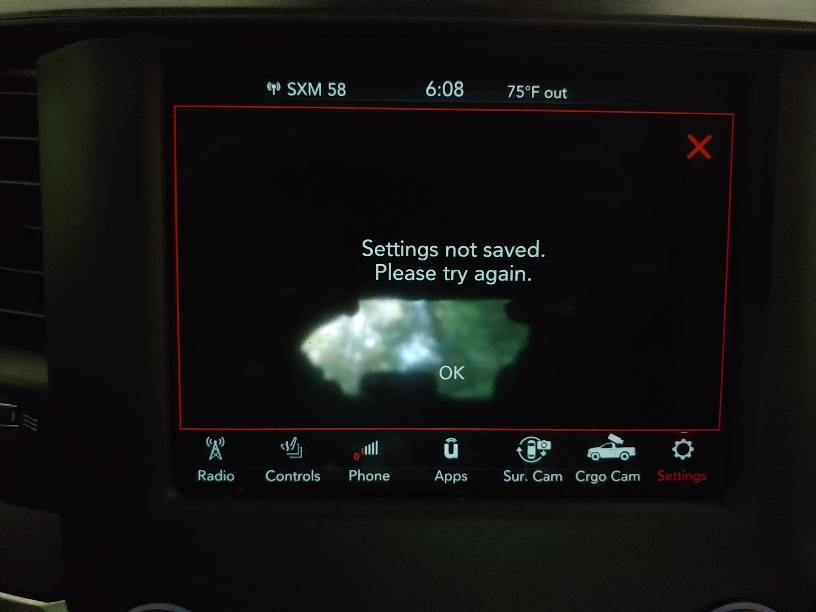
It did not appear to work for me. Actually seemed to "break" all of the cameras, so none of them worked. Would not allow me to "click" any of the camera buttons. I did take a pic of the error it gives me when I tried to enable the forward facing gridlines.I did not try enabling "Off-Road Mode" when I played with it, I thought about it, but never tried it. I dont have power steps to "break", so I could try it and see.
Is the hill descent control different for a power wagon than my truck? Just curious....I can’t find a power wagon log. What specifically are you curious about, I can probably answer it. There won’t be anything different except for VehConfig 7 axle locker and sway disconnect. Probably special package setting (EVIC startup pic), and hill descent control.

