BighornHDRam
Well-Known Member
- Messages
- 432
- Reaction score
- 373
- Points
- 63
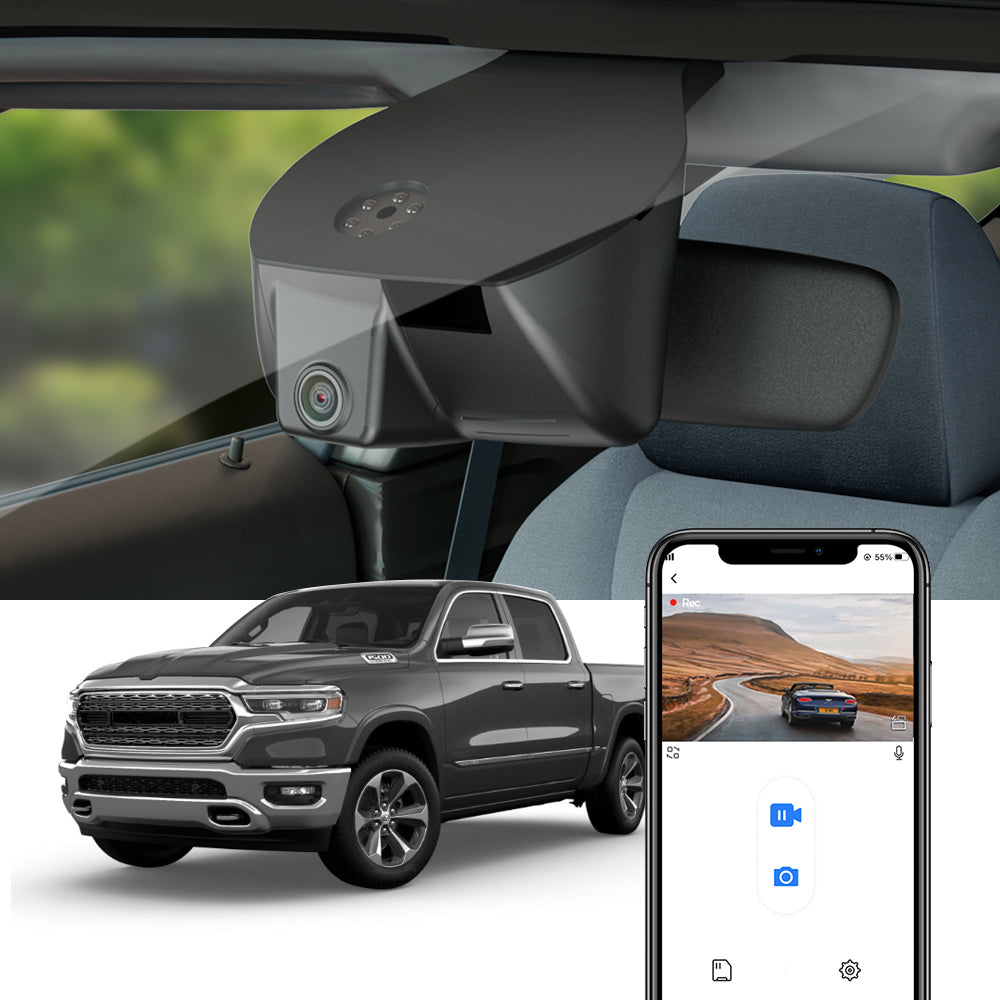
I purchased one of the FITCAMX dash cam for my 2026 Limited Mega Cab based on a YT user TrukStuf. I ordered it up from their website and it showed up air freight/USPS from China in about 2 weeks even during the Christmas holiday shipping. My model was model C based on my mirror setup on the site.
I started off by removing the center piece in the mirror surround which is a pain as you really can’t tell where the tabs are, after struggling I moved to the main surround and slide it down and then removed the center piece. After removal it was now time to disconnect the battery grounds so I positioned the seats and such where I needed them and disconnected them both to avoid any airbag issues and CEL and then waited 10 minutes before working around the side curtain airbags at the doors. While I waited the 10 minutes I removed the single inside T20 screw to the visor and loosened the outer M8 bolts to allow the headliner to have a gap between the glass and headliner for the cable to come through to the mirror.
I slide down both weather stripping from both passenger side doors to gain access to the headliner and roof area, I figured out how I wanted to layout the rear wire harness and bundled up the extra to store in the rear area behind the rear panel. I had made this 32” .041 stainless wire fish tool for another vehicle which worked out perfect to route the cable through the headliner, I fished it from the rear door area to behind the headliner speaker keeping away from the side curtain airbags towards the sunroof and removed it from the tool. I then repositioned the tool starting from the glass going towards the sunroof to pull the cable to the rear view mirror. The headliner around the sunroof is held up with Velcro so it pulls down easy.
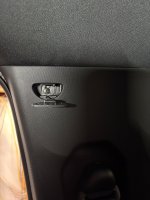
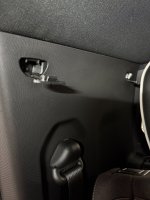
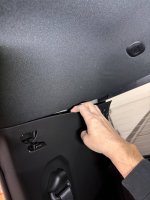
I then turned my attention towards the rear closeout to finish off routing the cable, I removed the 2 pushed in plastic covers to expose the 2 #2 Phillips screws. Then using a T50 I removed the seatbelt attachment and then grabbed the top of the plastic closeout and slightly pulling on it it will come out of the cab as it is only held in with metal securing tabs. I ran the extra cable length up into the cavity and ran it over towards where the rear camera would mount, I then tucked up all loose cable around the sunroof and around the mirror and buttoned those area’s up along with the passenger interior rear quarter. I installed the new camera surround installing the provided wiring harness which goes in-line with OEM unit then connected the front and rear camera’s and put the surround on.
It was now time to download the FITCAMX app and to re-attach the negative battery terminals to get the rear camera positioned on the glass, after getting the app all working I turned my attention to the rear camera mounting by positioning it and looking on the app and the view and then removing the plastic off the 3m double sided tape and mounting it. Don’t forget to remove the blue plastic protective cover on the front camera and the clear on the rear camera.
I paid $253.48 for my kit delivered to my door for the Front 4K+ Rear 1080P+ 128G and I think it is well worth it this day and age, my only thing I wish it had was GPS.
I started off by removing the center piece in the mirror surround which is a pain as you really can’t tell where the tabs are, after struggling I moved to the main surround and slide it down and then removed the center piece. After removal it was now time to disconnect the battery grounds so I positioned the seats and such where I needed them and disconnected them both to avoid any airbag issues and CEL and then waited 10 minutes before working around the side curtain airbags at the doors. While I waited the 10 minutes I removed the single inside T20 screw to the visor and loosened the outer M8 bolts to allow the headliner to have a gap between the glass and headliner for the cable to come through to the mirror.
I slide down both weather stripping from both passenger side doors to gain access to the headliner and roof area, I figured out how I wanted to layout the rear wire harness and bundled up the extra to store in the rear area behind the rear panel. I had made this 32” .041 stainless wire fish tool for another vehicle which worked out perfect to route the cable through the headliner, I fished it from the rear door area to behind the headliner speaker keeping away from the side curtain airbags towards the sunroof and removed it from the tool. I then repositioned the tool starting from the glass going towards the sunroof to pull the cable to the rear view mirror. The headliner around the sunroof is held up with Velcro so it pulls down easy.
I then turned my attention towards the rear closeout to finish off routing the cable, I removed the 2 pushed in plastic covers to expose the 2 #2 Phillips screws. Then using a T50 I removed the seatbelt attachment and then grabbed the top of the plastic closeout and slightly pulling on it it will come out of the cab as it is only held in with metal securing tabs. I ran the extra cable length up into the cavity and ran it over towards where the rear camera would mount, I then tucked up all loose cable around the sunroof and around the mirror and buttoned those area’s up along with the passenger interior rear quarter. I installed the new camera surround installing the provided wiring harness which goes in-line with OEM unit then connected the front and rear camera’s and put the surround on.
It was now time to download the FITCAMX app and to re-attach the negative battery terminals to get the rear camera positioned on the glass, after getting the app all working I turned my attention to the rear camera mounting by positioning it and looking on the app and the view and then removing the plastic off the 3m double sided tape and mounting it. Don’t forget to remove the blue plastic protective cover on the front camera and the clear on the rear camera.
I paid $253.48 for my kit delivered to my door for the Front 4K+ Rear 1080P+ 128G and I think it is well worth it this day and age, my only thing I wish it had was GPS.
Attachments
-
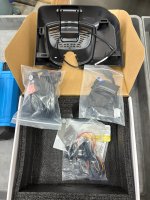 FITCAMX KIT.jpg649.4 KB · Views: 30
 -
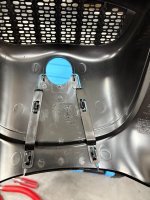 OEM MIRROR COWLING 2.jpg419.2 KB · Views: 29
 -
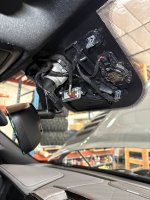 MIRROR WITH NO COWLING.jpg434.3 KB · Views: 27
 -
 PASSENGER WEATHER STRIPING FRONT.jpg528.5 KB · Views: 27
 -
 PASSENGER WEATHER STRIPING REAR.jpg482.8 KB · Views: 29
 -
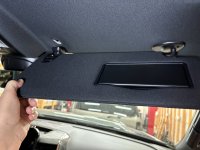 VISOR.jpg542 KB · Views: 30
 -
 STAINLESS WIRE CHASE TOOL.jpg520.3 KB · Views: 30
 -
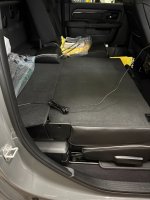 BUNDLED EXTRA CABLE.jpg455.1 KB · Views: 30
 -
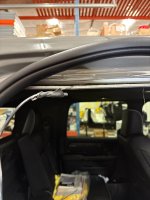 PULLING CABLE FROM REAR FIRST.jpg331.4 KB · Views: 30
 -
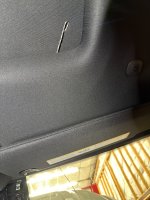 PULLING CABLE FROM SUNROOF TO FRONT.jpg872.2 KB · Views: 31
Last edited: