Register a free account today to become a member! Once signed in, you'll be able to participate on this site by adding your own topics and posts, as well as connect with other members through your own private inbox!
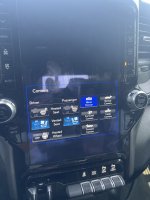
I've had the same issue a few times. Tried pulling over and shutting it off and immediately restarting and it didn't fix it.
I usually am on the way to work whgen it's happened, so I shut it down and after the work day is over I start it up again and everything has returned to normal.
I've had the same issue a few times. Tried pulling over and shutting it off and immediately restarting and it didn't fix it.
I usually am on the way to work whgen it's happened, so I shut it down and after the work day is over I start it up again and everything has returned to normal.
I'm sorry you're experiencing this! The following steps may assist as an alternate reset option, but if this doesn't improve you are welcome to PM our team for further assistance.
1. Put your vehicle into the accessories mode (ACC or RUN) ***For keyless start (push-button) vehicles: push the start button twice without having your foot on the gas or brake pedal***
2. Hold down the Phone and voice recognition buttons (or tuner and volume knob), at the same time, for thirty seconds.
3. Let go of the buttons
4. Turn the vehicle off
5. Open driver’s side door for thirty seconds (or until dash illumination goes black)
6. Close door
7. Restart vehicle
8. Let the media center load up and see if the concern is still present
You're welcome! If this doesn't improve, feel welcome to PM us your VIN and software details and we can check for any bulletins or STAR reports that my resolve this.