What's new
Ram Heavy Duty Forum

Register a free account today to become a member! Once signed in, you'll be able to participate on this site by adding your own topics and posts, as well as connect with other members through your own private inbox!

TPMS (TIS) sensors for trailer (SOLVED - see 1st post) aka TTPMS - Trailer TPMS

Also, on the '20 build site, when you select Max Tow Package, it auto-selects all the components, but doesn't select the 30K Mopar hitch this year. And if you then select the 30K hitch, it de-selects the Max Tow Package. Yet, like the '19 3500 build site, the '20 3500 Max Tow Package actually includes the hitch when delivered. It's just another error on the '20 build site.
 
They need to do allot better job with that site for sure, needs updated an they should add an extra options button that has all the extra available sales codes. I would think it would only help there sales. Like it should show the ttpms an price an when you click on that sub button it pulls up the details like includes 4 sensors. That would eliminate allot of questions on the buyers end an also wouldn't be so many changes on build through the dealer an changing the deal all the time. Maybe fca will give me a call an i can set up there build pg for them, for a small fee of coarse
 
I'm going to go out on a limb and say that if the truck has the Trailer Camera wiring installed, the connector for the TTPMS receiver appears to be present in the correct location where the receiver installs.

View attachment 3497

My 2019 has the AUX Trailer camera wire installed. The wiring was installed by the dealership at the time of purchase. Can you give me a rough approximation of where this bracket is on the truck? Is it on the rear bumper (close to the spare tire)? I crawled under the truck yesterday, but I couldn't find this connector. Do I need to drop the spare tire to see it?

Thanks!
 
My 2019 has the AUX Trailer camera wire installed. The wiring was installed by the dealership at the time of purchase. Can you give me a rough approximation of where this bracket is on the truck? Is it on the rear bumper (close to the spare tire)? I crawled under the truck yesterday, but I couldn't find this connector. Do I need to drop the spare tire to see it?

Thanks!

That pic of the 4-pin and square hole with a screw hole to either side is looking up at an angle towards the bumper and bed at the rear of the truck. it's on the driver side of the license plate, right behind the bumper.

I'll try to edit the post with another pic of the larger area.
 
Last edited:
That pic of the 4-pin and square hole with a screw hole to either side is looking up at an angle towards the bumper and bed at the rear of the truck. it's on the driver side of the license plate, right behind the bumper.

I'll try to edit the post with another pic of the larger area.
I don't know if this link helps out brutal explanation or not by showing a picture. On pg 2 of 9 there is a schematic of the ttpms wiring at the rear. If it's not pertinent to this conversation, hopefully someone be will get some useful info from it
 

Attachments

That pic of the 4-pin and square hole with a screw hole to either side is looking up at an angle towards the bumper and bed at the rear of the truck. it's on the driver side of the license plate, right behind the bumper.

I'll try to edit the post with another pic of the larger area.

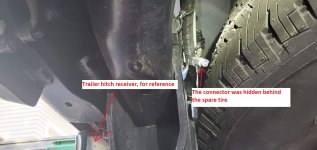
I had to let down my spare tire to gain access to the connector. @brutal I would never have found it without your description because the connector was taped backward out of view.

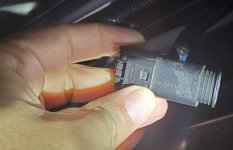
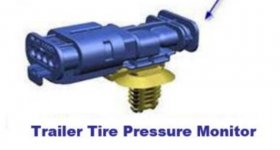
The connector at the back of the truck does not look exactly like the TTPMS receiver connector in the schematic. The TTPMS connector in the schematic has all of the pins in a straight line, and the connector at the back of the truck has the pins in a zig-zag pattern. The part number on the connector is 1-967584-1. I hope that is just a discrepancy in the schematic, but this could be an indication this connector is for something else other than the TTPMS receiver.

Here is a picture of the connector @brutal found and a picture of the TTPMS connector in the schematic.

connector hidden.jpg

connector.jpgTTPMS.JPG
 
I did go take a pic, but glad you found it.

My receiver is due in Friday but USPS will probably drop the ball on that...

Maybe we'll find out over the weekend if this is going to work.
 
Last edited:
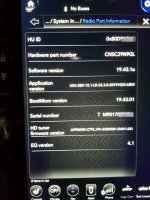
@brutal can you do me a favor and check what version software your UAX is running? I'm not getting any if the trailer TPMS menus showing up in mine and I'm wondering if maybe my software is too old and the ttpms menus were added in a more recent update.
 
19.43.1a

Since I'll probably flooded with PM's or questions in the thread if I don't detail this, to get into Dealer Mode to check your radio:
  • 12 U Connect
    • With the truck in ACC mode
    • Cover the lower left and lower right corners of the screen (about 1/4" or so) at the same time and it will pop up in about 1-2 seconds.
  • 8.4 Uconnect
    • Press the driver side up and down temp and front defrost all at the same time (unverified by me)
It's supposed to be harmless, but standard disclaimer applies: USE AT YOUR OWN RISK, same as AlphaOBD. If you have to have your truck towed to the dealer, don't blame anyone but yourself.

20200407_204051 (Large).jpg
 
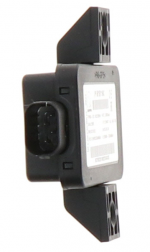
That receiver looks pretty much like every other TPMS receiver I've found for FCA vehicles and I found this pic of the connecter end (different part#) ...


1586317075510.png
 
Looks like a match for the connector. This is like waiting to see if you got that train you wanted for Christmas.
 
The train I'm waiting for has a 400p hp 1000 ft lbs tq Cummins HO HD turbo diesel. But if it don't come until Christmas, i think I'll haul 35,100 lbs of coal up to the north pole an cram it up Santa's a$$.
 
OK, I crawled under the truck and looked around and I'm going to go out on a limb and say that if the truck has the Trailer Camera wiring installed, the connector for the TTPMS receiver appears to be present in the correct location where the receiver installs.

View attachment 3497

Also, it appears the Trailer Camera plug is connected to the Uconnect for EITHER the bed or bumper, but not both. Mine has the bed connector plugged in, the bumper connector head is dummy plugged.

View attachment 3499

Do you have the trailer camera you can test out and see if it works in both locations or if it's just bumper OR bed? I got the 12 pin installed by my dealer in the bumper but i want it installed in my bed as well. Any idea what the part number is for the plug, bracket and wiring harness for the bed plug? Would suck if it only works in one location without swaping the plugs beneath the truck.
 
Do you have the trailer camera you can test out and see if it works in both locations or if it's just bumper OR bed? I got the 12 pin installed by my dealer in the bumper but i want it installed in my bed as well. Any idea what the part number is for the plug, bracket and wiring harness for the bed plug? Would suck if it only works in one location without swaping the plugs beneath the truck.

That's what I saw, one plug at a time. the bed was plugged into the chassis harness, the bumper was capped off. Seems by design if you think about it, so you can't possibly plug two cameras in at the same time.

I do not have the camera and will never buy the crappy Mopar camera. I'll probably make a harness to work with a decent camera at some point if I can source the damn plug. If someone ever identifies the part numbers for the wiring, sans that craptastic camera, that would be perfect.

If someone has access to Tech Authority, they can look up the part numbers in the wiring diagrams.

I think you can see the part number on the bed harness cable in one of my pics, if not I can try to get it and the bed plug assembly. To be complete, it's probably best to find a resource with access to Tech Authority.
 
Looks like a match for the connector. This is like waiting to see if you got that train you wanted for Christmas.

I just hope the part number in that PDF is correct because images of that item don't seem to exist anywhere in the online parts world.
 
19.43.1a

Since I'll probably flooded with PM's or questions in the thread if I don't detail this, to get into Dealer Mode to check your radio:
  • 12 U Connect
    • With the truck in ACC mode
    • Cover the lower left and lower right corners of the screen (about 1/4" or so) at the same time and it will pop up in about 1-2 seconds.
  • 8.4 Uconnect
    • Press the driver side up and down temp and front defrost all at the same time (unverified by me)
It's supposed to be harmless, but standard disclaimer applies: USE AT YOUR OWN RISK, same as AlphaOBD. If you have to have your truck towed to the dealer, don't blame anyone but yourself.

View attachment 3563
Hm your software is 11 months newer than mine, I wonder if that's my problem. You're at version 19.43 while i'm still at 18.45.
 
Last edited:
Hm your software is 11 months newer than mine, I wonder if that's my problem. You're at version 19.43 while i'm still at 18.45.

That also might explain why Android auto over Bluetooth works* on my truck as well - reported to be "added" to the Uconnect5 system forthcoming in reports I've read, so confusing...

* Works is relative WRT Android Auto
 
That also might explain why Android auto over Bluetooth works* on my truck as well - reported to be "added" to the Uconnect5 system forthcoming in reports I've read, so confusing...

* Works is relative WRT Android Auto

Your truck supports wireless android auto also?!
 
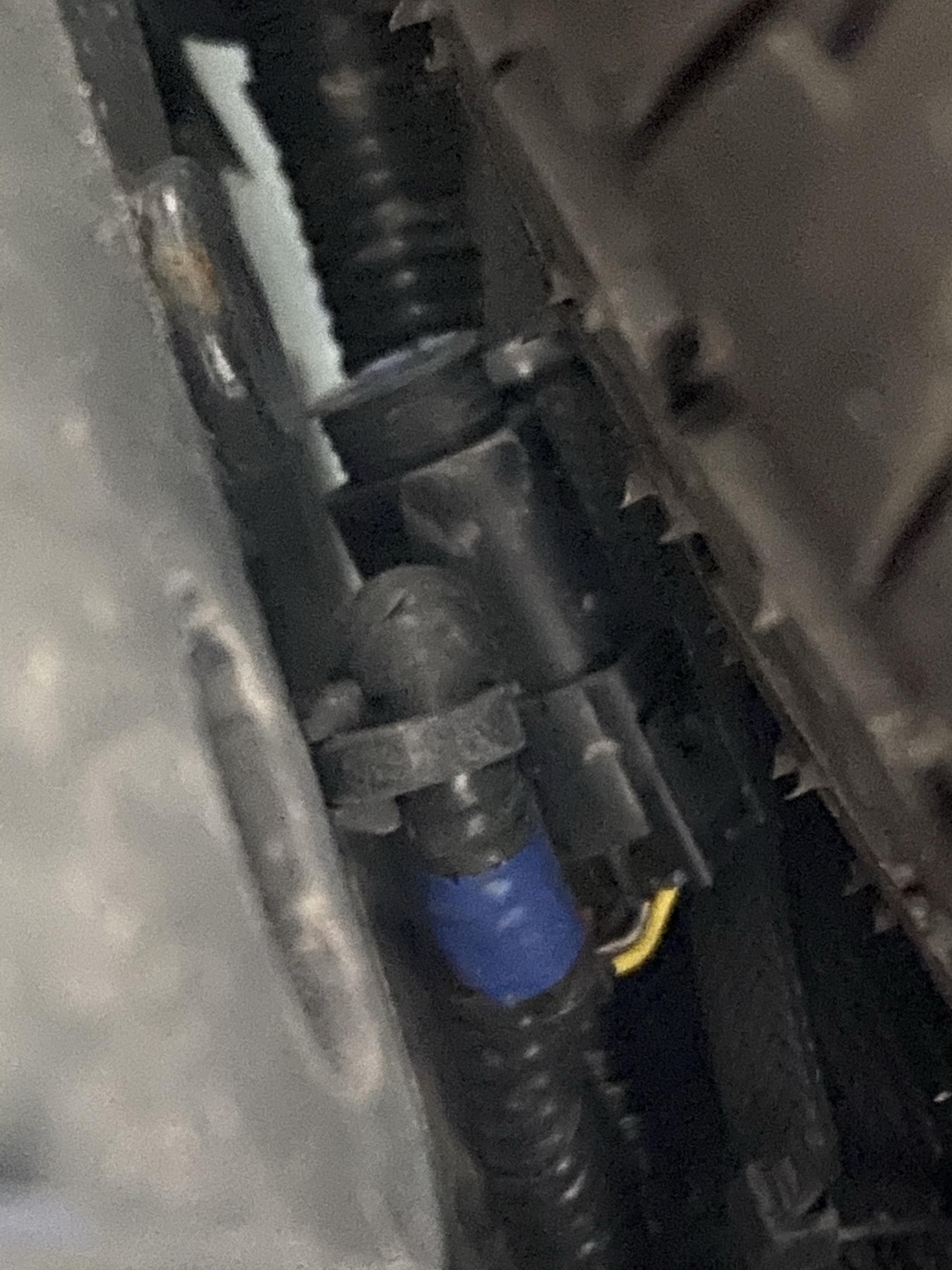
So is this the part under bumper on mine?
c253b8b2ad0118a95e262872372381f4.jpg


Sent from my iPhone using Tapatalk
 
I tell yah what. You guys on this forum have been amazingly relentless these last couple days. I don't think you all have slept. I've got emails an pictures coming in at 2:30,3:30,4:30 in the morning. Thats how you know when you got it bad for ttpms. When your lowering your spare at 3:30 am just to take a picture of a plug in to help another guy out. Koodos, to you all, amazing work
 
Back
Top