
Ram Heavy Duty Forum
You are using an out of date browser. It may not display this or other websites correctly.
You should upgrade or use an alternative browser.
You should upgrade or use an alternative browser.
Naviks
- Thread starter Whiskyman
- Start date
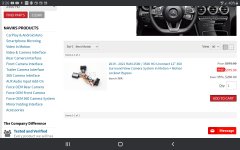
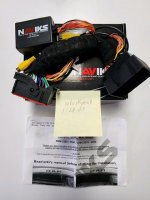
Will this work 0n a 2022 2500naviks plug in interface, for 2019 -2021 ram, see photo for more detailed info.
New, never installed, i sold my 2021 limited before i ever installed it.
$300 shipped from central indiana, 46041
No, it will notWill this work 0n a 2022 2500
ThanksNo, it will not
mountainears
Well-Known Member
- Messages
- 614
- Reaction score
- 463
- Points
- 63
They show some newer ones on their site but they don’t look to be available yet.
Sent from my iPhone using Tapatalk
Sent from my iPhone using Tapatalk
mountainears
Well-Known Member
- Messages
- 614
- Reaction score
- 463
- Points
- 63
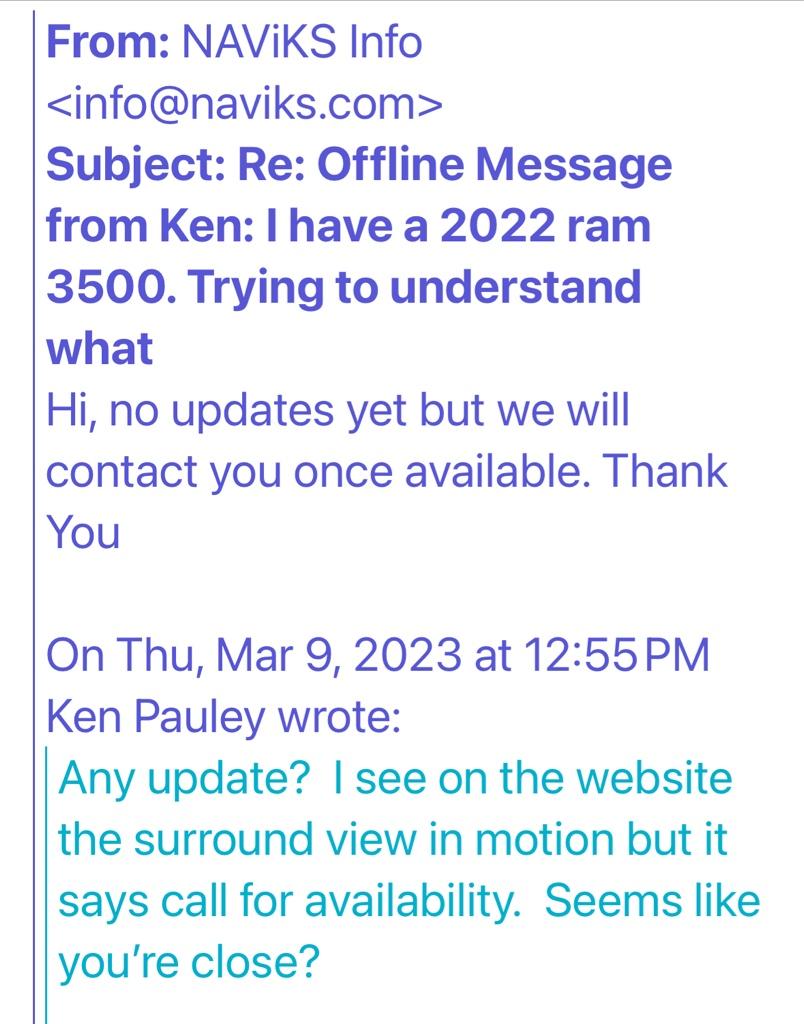
I asked them and happened to get a response today.
Sent from my iPhone using Tapatalk
Sent from my iPhone using Tapatalk
mountainears
Well-Known Member
- Messages
- 614
- Reaction score
- 463
- Points
- 63
So looking on their website it looks like they have something now. Not sure if anyone else has already done, but I just ordered this and will see how it goes. Happy to post info if others are interested....
2022 - 2024 RAM 2500 / 3500 HD Uconnect 5 (12" Screen) OEM 360 Trailer Surround-View Camera System In Motion + Motion Lockout Bypass Lockpick
2022 - 2024 RAM 2500 / 3500 HD Uconnect 5 (12" Screen) OEM 360 Trailer Surround-View Camera System In Motion + Motion Lockout Bypass Lockpick
naviks.com
Thanks for the Info. I also just order one .So looking on their website it looks like they have something now. Not sure if anyone else has already done, but I just ordered this and will see how it goes. Happy to post info if others are interested....
2022 - 2024 RAM 2500 / 3500 HD Uconnect 5 (12" Screen) OEM 360 Trailer Surround-View Camera System In Motion + Motion Lockout Bypass Lockpick
2022 - 2024 RAM 2500 / 3500 HD Uconnect 5 (12" Screen) OEM 360 Trailer Surround-View Camera System In Motion + Motion Lockout Bypass Lockpicknaviks.com
Still available, $200
naviks plug in interface, for 2019 -2021 ram, see photo for more detailed info.
New, never installed, i sold my 2021 limited before i ever installed it.
$300 shipped from central indiana, 46041
I got mine today Installed it in 10 minutes totally plug & play works great,So looking on their website it looks like they have something now. Not sure if anyone else has already done, but I just ordered this and will see how it goes. Happy to post info if others are interested....
2022 - 2024 RAM 2500 / 3500 HD Uconnect 5 (12" Screen) OEM 360 Trailer Surround-View Camera System In Motion + Motion Lockout Bypass Lockpick
2022 - 2024 RAM 2500 / 3500 HD Uconnect 5 (12" Screen) OEM 360 Trailer Surround-View Camera System In Motion + Motion Lockout Bypass Lockpicknaviks.com
mountainears
Well-Known Member
- Messages
- 614
- Reaction score
- 463
- Points
- 63
Mine arrived today but I’m out of town  . Glad the install is easy, seemed like it should be. Looking forward to it.
Sent from my iPhone using Tapatalk
. Glad the install is easy, seemed like it should be. Looking forward to it. Sent from my iPhone using Tapatalk
I email support and ask for the link for the installation manual. This is what they sent .
NOTE the underlined sentence.
My plugs where different then what the manual said.
Hi, please use the manual in the link below, once you remove the screen the connectors are different just plug in according to the color. If you need any help during installation you can reach us at 718-797-9414 we can help you via phone and video call using Facetime, Whatsapp, DUO and Zoom. We are available Monday - Friday 9am-7pm EST and Saturday's 9am-4pm EST. Please let us know if you have any questions. Thank You
https://www.dropbox.com/s/0fediech9... Camera in Motion Bypass 2019 - 2020.pdf?dl=0
NOTE the underlined sentence.
My plugs where different then what the manual said.
Hi, please use the manual in the link below, once you remove the screen the connectors are different just plug in according to the color. If you need any help during installation you can reach us at 718-797-9414 we can help you via phone and video call using Facetime, Whatsapp, DUO and Zoom. We are available Monday - Friday 9am-7pm EST and Saturday's 9am-4pm EST. Please let us know if you have any questions. Thank You
https://www.dropbox.com/s/0fediech9... Camera in Motion Bypass 2019 - 2020.pdf?dl=0
mountainears
Well-Known Member
- Messages
- 614
- Reaction score
- 463
- Points
- 63
Thanks.
- You disconnect ground as instructed? How was the reinitialization of equipment after?
- Screen just pulls out with a tug as described, no screws?
- when you enable by pushing the button. Does it stay enabled after the truck restarts so you can just use it that way all the time? Or do you have to push the button on every restart like the engine brake?
Sent from my iPhone using Tapatalk
- You disconnect ground as instructed? How was the reinitialization of equipment after?
- Screen just pulls out with a tug as described, no screws?
- when you enable by pushing the button. Does it stay enabled after the truck restarts so you can just use it that way all the time? Or do you have to push the button on every restart like the engine brake?
Sent from my iPhone using Tapatalk
I disconnect ground after reconnecting the ground I waited about 30 minutes for the system to restore it self everything came back.
Screen you need to remove the two screws 20 torx above by the 12 volt plug under the rubber mat.
then just pull out from top and bottom.
enable button don't know haven't used it enough.
Screen you need to remove the two screws 20 torx above by the 12 volt plug under the rubber mat.
then just pull out from top and bottom.
enable button don't know haven't used it enough.
mountainears
Well-Known Member
- Messages
- 614
- Reaction score
- 463
- Points
- 63
I got mine installed tonight.
For those looking to do this you’ll just need the torx 20 for the display, a 10 mm to disconnect the battery ground and an 8 mm to unscrew the screen module.
I’ll see more as I drive it but it looks like when you enable it locks the screen in the camera view. The X in the upper right corner doesn’t even take you out of that view. To get out, you hold the right center button behind the steering wheel (same button to enable). I didn’t test the turn signal operation to light up the cameras though. Not sure about that if it is automatic or not.
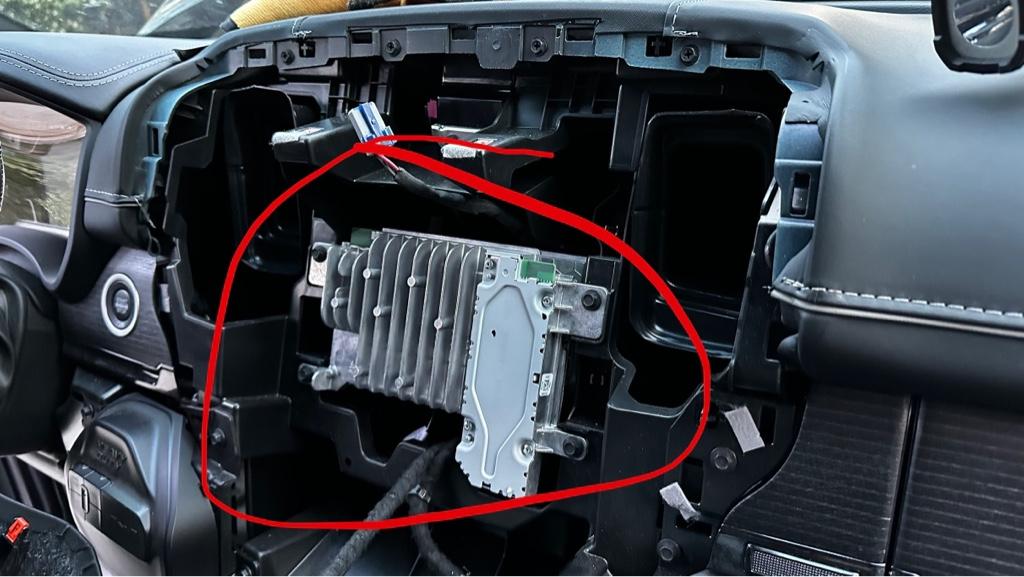
Took a couple pics to show the module behind the screen that you have to remove and I circled the connectors on the back. Then a picture after the module is installed.
I found it was better to work from the passenger side and it helps to disconnect the wire for the ACC outlet at the top of the dash. The rest you can leave connected.
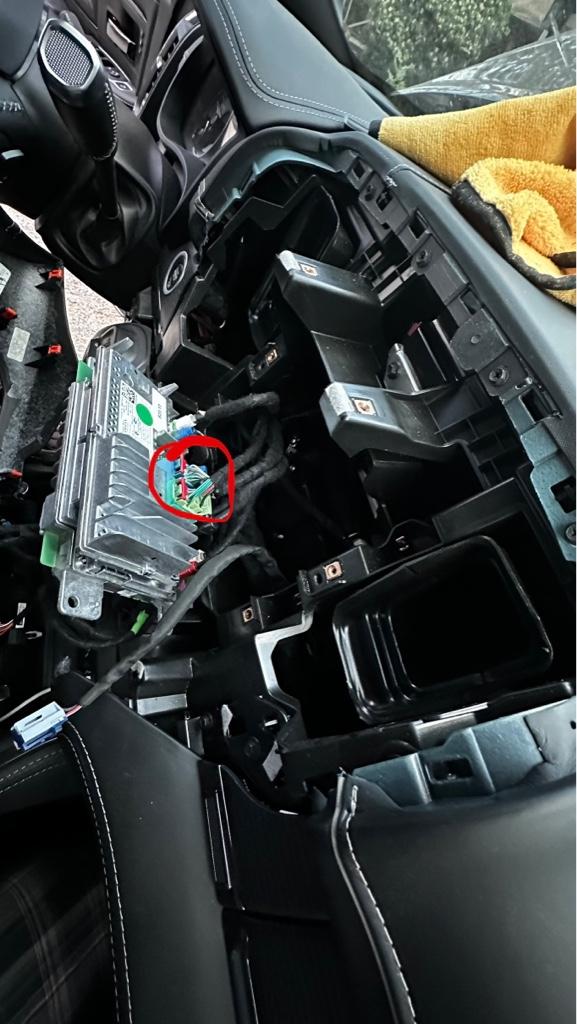
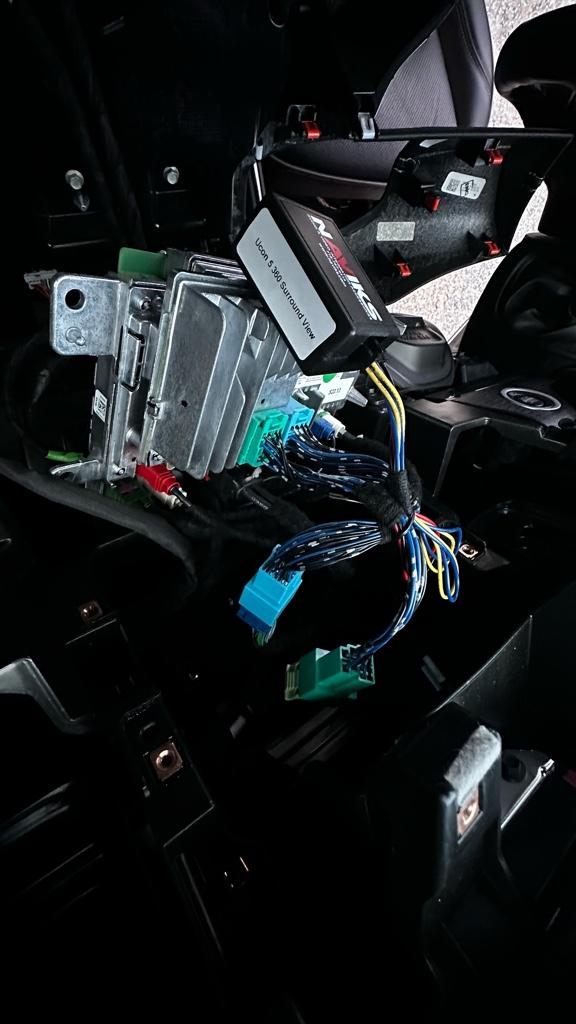
Sent from my iPhone using Tapatalk
For those looking to do this you’ll just need the torx 20 for the display, a 10 mm to disconnect the battery ground and an 8 mm to unscrew the screen module.
I’ll see more as I drive it but it looks like when you enable it locks the screen in the camera view. The X in the upper right corner doesn’t even take you out of that view. To get out, you hold the right center button behind the steering wheel (same button to enable). I didn’t test the turn signal operation to light up the cameras though. Not sure about that if it is automatic or not.
Took a couple pics to show the module behind the screen that you have to remove and I circled the connectors on the back. Then a picture after the module is installed.
I found it was better to work from the passenger side and it helps to disconnect the wire for the ACC outlet at the top of the dash. The rest you can leave connected.
Sent from my iPhone using Tapatalk
mountainears
Well-Known Member
- Messages
- 614
- Reaction score
- 463
- Points
- 63
So it doesn’t stay enabled, you have to push the button each time to do it.
For the cameras it also locks it in the camera screen, you can’t exit it unless you disable.
That said , my turn signal cameras were not coming on with the blinker. They told me how to enable that. This is what I really wanted it for and that does stay enabled after you turn the car off and back on. So it always works which is good, until you disable again.
After the turn it reverts to CarPlay, not the last screen you were on.
Sent from my iPhone using Tapatalk
For the cameras it also locks it in the camera screen, you can’t exit it unless you disable.
That said , my turn signal cameras were not coming on with the blinker. They told me how to enable that. This is what I really wanted it for and that does stay enabled after you turn the car off and back on. So it always works which is good, until you disable again.
After the turn it reverts to CarPlay, not the last screen you were on.
Sent from my iPhone using Tapatalk
mountainears
Well-Known Member
- Messages
- 614
- Reaction score
- 463
- Points
- 63
press the screen off button for 5 seconds release wait 1 second and just press and release the button again
Sent from my iPhone using Tapatalk
Sent from my iPhone using Tapatalk
BumpStill available, $200